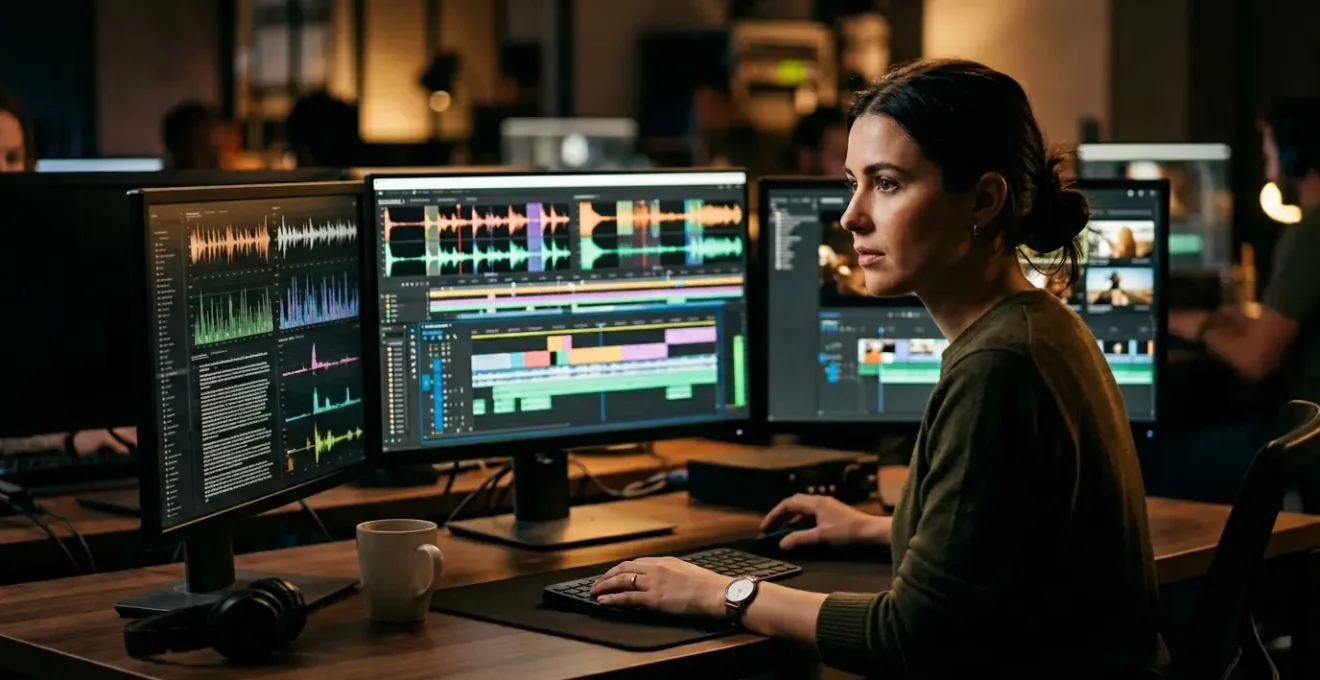
The smartest post-production facilities aren’t replacing junior editors with AI; they are transforming them into highly-efficient ‘AI Wranglers’.
- AI excels at the initial 85% of assembly—transcription, sorting, and rough cuts—but fumbles on nuance, context, and legal compliance.
- A human-in-the-loop is essential to manage ‘Generative Liability’ and prevent the ‘Cognitive Dissonance’ that erodes audience trust.
Recommendation: Instead of cutting staff, invest in training junior talent to supervise AI, verify its output, and add the final 15% of creative value that machines cannot replicate.
The conversation around AI in post-production is often a binary one: a utopian dream of automated creativity or a dystopian fear of job replacement. For a facility manager, the reality is far more pragmatic, a complex equation of cost, speed, and risk. We see AI tools promising to transcribe interviews in minutes and assemble rough cuts from text prompts, and the immediate question arises: is the role of the junior editor, the traditional entry point into the craft, now obsolete? The usual answer— »AI is a tool, not a replacement »—feels like a tired platitude that sidesteps the core business challenge.
The real discussion isn’t about whether AI can perform tasks. It can. The strategic question is how to architect a pipeline that leverages AI’s brute force for the heavy lifting while deploying human talent where it creates the most value: in context, creativity, and quality control. This means moving beyond simply adopting new software. It requires redesigning workflows and, most importantly, redefining roles. The promise of AI isn’t to eliminate your junior staff, but to elevate them.
But what if the key isn’t a showdown between human and machine, but a new, symbiotic partnership? What if the junior editor’s future isn’t in logging footage by hand, but in becoming a skilled ‘AI Wrangler’—a specialist who guides, refines, and validates automated output? This perspective transforms the conversation from one of replacement to one of evolution, building a more efficient, cost-effective, and resilient post-production model.
This article will deconstruct the hype and provide a strategic framework for integrating AI. We will analyze where AI stumbles, particularly with nuance and legal risks, and outline how to design a hybrid pipeline that harnesses the best of both worlds, ultimately preventing bottlenecks and increasing your facility’s output without sacrificing the creative soul of the work.
This guide breaks down the critical decision points for integrating AI into your workflow. The following sections provide a clear-eyed look at the capabilities and limitations of current technology, offering a strategic roadmap for facility managers.
Summary: A Manager’s Framework for AI in Post-Production
- Why AI Captions Still Need Human Verification for UK Accents?
- How to Edit Video by Deleting Text Using AI Tools?
- Synthesized Voice or Human Talent: Which Builds More Trust?
- The Generative AI Mistake That Creates Legally Unusable Assets
- When to Integrate AI into Your Pipeline: Now or Wait for Maturity?
- Why a Bad Folder Structure Costs You 15% of Your Billable Hours?
- How to Send Footage from Set to the Editor in Real-Time?
- How to Design a Post-Production Pipeline That Prevents Bottlenecks?
Why AI Captions Still Need Human Verification for UK Accents?
One of the first and most common entry points for AI in post-production is automated transcription and captioning. The promise is seductive: near-instantaneous text from audio, eliminating hours of manual work. However, accuracy is not absolute, and regional accents present a significant challenge for even the most advanced models. While a standard American accent might achieve high accuracy, the rich diversity of accents across a country like the UK—from Scouse to Glaswegian to a thick West Country brogue—can dramatically degrade performance.
The metric to watch is the Word Error Rate (WER). For facility managers, this isn’t just a technical detail; it’s a direct measure of risk. A low WER means a reliable transcript, while a high WER means introducing factual errors, misrepresenting speakers, and potentially damaging a client’s brand. Independent testing shows a 3-8% increase in Word Error Rate for non-standard accents, but real-world scenarios are often more severe. For instance, in studies of British meetings with varied accents, popular tools can yield a 12-20% WER, a rate that is unusable for professional delivery without significant human intervention.
This is where the role of the ‘AI Wrangler’ becomes immediately apparent. Their job isn’t to transcribe from scratch but to perform a high-value quality control pass. They catch the nuances the machine misses: homophones, specific jargon, proper nouns, and, crucially, the intent behind the words that is often lost in a purely phonetic translation. Without this human verification, the time saved by AI is quickly lost to the time needed by a senior editor to fix embarrassing and costly mistakes, or worse, they aren’t caught at all.
How to Edit Video by Deleting Text Using AI Tools?
Beyond transcription, the next evolutionary step in AI-driven post-production is text-based video editing. This paradigm shift allows editors to manipulate video by simply editing a text document. To create a rough cut, you no longer scrub through hours of footage in a timeline; you read a transcript and delete the sentences and paragraphs you don’t want, instantly removing the corresponding video clips. It’s a powerful method for assembling interview-heavy content, documentaries, and corporate videos at unprecedented speed.

This process represents the core function of the « 85% cut. » The AI and the AI Wrangler can rapidly assemble the main story beats and select the key soundbites, building the fundamental structure of the narrative. The workflow typically involves automatically identifying and removing filler words like « um » and « ah, » further cleaning the edit and refining the pacing without a senior editor needing to touch the timeline. This initial assembly, which once took a junior editor days, can now be completed in a matter of hours.
However, this is a tool for assembly, not for storytelling nuance. The AI does not understand subtext, pacing for emotional effect, or the art of a J-cut or L-cut. It provides a clean, structured foundation, but it is the senior creative who then takes this 85% cut and applies the final 15% of craft—refining edits, adding B-roll, scoring music, and transforming a collection of clips into a compelling story. The manager’s role is to structure the pipeline so this handover is seamless.
Synthesized Voice or Human Talent: Which Builds More Trust?
The capabilities of generative AI now extend to voice, with platforms offering to create synthetic voiceovers that are nearly indistinguishable from human speech. For a manager, the appeal is obvious: drastic cost reduction and speed. A script can be voiced in minutes for a monthly subscription fee, bypassing the scheduling, recording, and cost of professional voice talent. For internal videos, e-learning modules, or temporary « scratch » tracks, AI voice is a powerful and efficient tool.
However, the decision to use AI voice is not purely financial; it’s a brand and trust calculation. While AI can mimic inflection, it struggles with genuine emotion and the subtle authenticity that builds a connection with an audience. This is confirmed by industry analysis, which shows a clear divide in performance. As leading experts from LTX Studio noted in their AI Voice Technology Assessment, the biggest risk is a sudden break in authenticity:
The ‘Cognitive Dissonance’ Effect occurs when a hyper-realistic AI voice mispronounces a brand name or technical term, breaking audience trust instantly
– Industry Analysis, AI Voice Technology Assessment 2024
This « cognitive dissonance » is a critical risk for premium or brand-forward content. An audience can sense the lack of a human soul behind the words, which can make a high-end brand feel cheap or inauthentic. The following table, based on an analysis of AI in video production, highlights the trade-offs a manager must weigh.
| Aspect | AI Voice | Human Voice |
|---|---|---|
| Production Speed | Instant generation | Recording + editing time |
| Cost per Project | $10-50 subscription | $200-2000+ per session |
| Consistency | 100% repeatable | Natural variation |
| Emotional Range | Limited nuance | Full spectrum |
| Brand Trust Impact | Lower for premium content | Higher authenticity |
The strategic choice is to use AI voice where efficiency is paramount and emotional connection is secondary. For everything else, the investment in human talent remains a crucial element in building and maintaining brand trust.
The Generative AI Mistake That Creates Legally Unusable Assets
Perhaps the most significant, and least understood, risk for a facility manager is what can be termed ‘Generative Liability.’ While generative AI tools can create stunning visuals or video clips from a simple text prompt, the legal foundation of these assets is often a minefield. The core issue is copyright: AI models are trained on vast datasets of images and videos scraped from the internet, much of which is copyrighted material. When an AI generates a « new » asset, it may be creating a derivative work of an existing copyrighted piece without permission or attribution.
This creates a massive legal grey area. Who owns the AI-generated asset? More importantly, who is liable if that asset infringes on an existing copyright? Most AI tool End User License Agreements (EULAs) are clear on this: they are not liable. The legal risk is pushed downstream to the creator and, ultimately, to the company that commissions the work. Using such an asset in a commercial project could expose a client to a lawsuit, a risk no professional facility can afford to take.
This is where the ‘AI Wrangler’ role evolves from quality control to legal gatekeeping. Part of their responsibility within the new pipeline architecture is to meticulously document the creation process. This includes saving prompts, recording iteration steps, and detailing any human modifications made to the AI output. This documentation creates a « chain of title, » providing a defensible record of the creative process. For high-stakes projects, the only truly safe path is to use AI models trained exclusively on licensed or public domain content, or to avoid generative visuals for final delivery altogether.
When to Integrate AI into Your Pipeline: Now or Wait for Maturity?
For a manager, the constant barrage of new AI tools can lead to paralysis: should you invest now and risk choosing a tool that will be obsolete in six months, or wait for the technology to mature and risk falling behind? The answer is to stop thinking about tools and start thinking about process. The time to integrate is now, but the integration must be strategic and human-centric, viewing AI not as a magic bullet but as a powerful production assistant.

The most successful adoption strategies don’t aim for full automation. Instead, they identify specific, high-volume, low-creativity tasks within the existing pipeline and target those for AI augmentation. Transcription, initial assembly, and asset tagging are prime candidates. Studies show that this approach yields significant benefits, with recent analysis showing up to 34% time savings on editing tasks when AI tools are properly integrated. This saved time doesn’t lead to downsizing; it frees up human editors to focus on higher-value creative work and allows a facility to increase its overall capacity.
Case Study: The Production Assistant Model
An enterprise-level framework for AI adoption positions the technology as a ‘production assistant’. Its role is to handle the grunt work—making large initial cuts and reducing repetitive manual editing—but never to make final creative decisions. Human collaboration and verification remain central to ensure the final messaging is accurate and aligned with strategic goals. This hybrid model allows organizations to scale output without compromising quality or burning out creative staff.
The key is to build a flexible pipeline that can incorporate new tools as they mature without causing massive disruption. This means focusing on standardized data formats and clear, well-defined hand-off points between AI processes and human review. The ‘AI Wrangler’ is the crucial interface at these checkpoints, ensuring that whatever the AI produces meets the required standard before being passed to the next stage.
Why a Bad Folder Structure Costs You 15% of Your Billable Hours?
Before a single AI algorithm can be run, a more fundamental challenge must be addressed: asset organization. A disorganized folder structure is a silent killer of productivity and profit in any post-production house. When assets are scattered across disparate folders with inconsistent naming conventions, editors are forced to become digital archaeologists, wasting precious time hunting for the right clip, audio file, or graphic. This isn’t just an annoyance; it’s a direct hit to the bottom line.
Industry data consistently shows that this digital clutter has a measurable cost. In many workflows, editors can spend 15-20% of their billable time simply searching for files. For a facility manager, this is a staggering inefficiency. It means for every 40-hour week billed, up to a full day is lost to unproductive searching. This problem is compounded in an AI-driven pipeline, where automated processes require perfectly organized and predictable file paths to function correctly. An AI can’t process footage it can’t find.
Implementing a standardized, logical folder structure is the foundational layer of an efficient pipeline architecture. It ensures that every team member, human or machine, knows exactly where to find what they need and where to save their work. This discipline not only recovers lost billable hours but also prevents costly errors, such as using an outdated graphic or a low-resolution version of a clip. It’s the least glamorous but most impactful optimization you can make.
Your Action Plan: Building an AI-Ready Folder Structure
- Establish Master Folders: Create two primary directories for each project: `_PROJECT` for active work files (edits, exports) and `_ASSETS` for all source materials that will not be modified.
- Standardize Asset Categories: Within `_ASSETS`, use a numbered prefix system for automatic sorting (e.g., `01_VIDEO`, `02_AUDIO`, `03_GRAPHICS`, `04_DOCS`).
- Enforce Chronological Naming: Use the `YYYY-MM-DD` date format at the beginning of folder and file names (e.g., `2024-10-26_ShootDay01`) to ensure chronological organization.
- Separate Inputs from Outputs: Within a category like `01_VIDEO`, create subfolders for `RAW` (camera originals), `PROXIES` (editing files), and `TRANSCODES` (converted files).
- Mandate Consistency: Document this structure and make its use mandatory for all team members and freelancers. Conduct regular spot-checks to ensure compliance.
How to Send Footage from Set to the Editor in Real-Time?
The traditional post-production timeline begins only after the shoot wraps and hard drives are physically transported to the edit bay. This inherent delay creates a significant bottleneck. However, the emergence of Camera-to-Cloud (C2C) technologies is radically compressing this timeline, allowing footage to be sent from the set to the editor’s workstation in near real-time. As soon as a camera operator hits « stop, » the proxy file is automatically uploaded to the cloud and becomes available to the post-production team anywhere in the world.
For a facility manager, this technology is a game-changer. It means the « ingest » process, which used to take hours or days, now happens in parallel with the shoot. An assistant editor—or our ‘AI Wrangler’—can begin organizing, logging, and even transcribing footage while the production is still underway. This allows for immediate verification of shot integrity and provides an enormous head start on the edit. By the time the final take is shot, a rough assembly of the day’s work could already be complete.
This accelerated workflow allows projects to move from concept to delivery in days instead of weeks, enabling a facility to scale its output and take on more clients without burning out staff. Selecting the right platform depends on specific needs for speed, security, and integrated AI features. A comparative analysis of leading industry solutions highlights the different capabilities available.
| Platform | Real-Time Capability | AI Processing | Security Features |
|---|---|---|---|
| LucidLink | Instant sync | Metadata tagging | End-to-end encryption |
| Frame.io | Near real-time | Review tools | Watermarking |
| MASV | Fast transfer | Limited | TPN verified |
Integrating a C2C solution is a critical step in building a modern, responsive pipeline. It’s the intake valve for the entire system, feeding the AI and human editors with the material they need, as quickly as it’s created, and eliminating the costly downtime between production and post-production.
Key Takeaways
- AI is not a replacement for junior editors, but a tool that transforms their role into a more valuable ‘AI Wrangler’ focused on QC and validation.
- A disciplined folder structure and real-time cloud workflows are the non-negotiable foundation of any efficient, AI-powered pipeline.
- The greatest risks in AI are not technical but legal (‘Generative Liability’) and reputational (‘Cognitive Dissonance’), requiring human oversight.
How to Design a Post-Production Pipeline That Prevents Bottlenecks?
The ultimate goal for any facility manager is to create a pipeline that is not just fast, but resilient—one that anticipates and eliminates bottlenecks before they occur. In the new hybrid model, this means designing a ‘human-in-the-loop’ architecture where AI and human talent work in a seamless, iterative cycle. This is a move away from the traditional, linear assembly line (Shoot > Ingest > Edit > Finish) and toward a more dynamic, parallel processing system.
A key principle of this new architecture is establishing iterative feedback loops. Instead of waiting for one major stage to be 100% complete before starting the next, smaller tasks happen simultaneously. While an AI is processing and transcribing one batch of footage, a human ‘AI Wrangler’ is reviewing and verifying a previous batch. The senior editor, in turn, can begin creative work on the verified sequences without having to wait for the entire project to be ingested and logged. This parallel workflow is the key to preventing the pile-ups that grind a traditional pipeline to a halt.
This system requires clearly defined quality gates. After each significant AI process—transcription, text-based assembly, or asset generation—there must be a mandatory human checkpoint. This checkpoint, managed by the AI Wrangler, is not a suggestion; it is a required step where a human must grant approval before the asset can proceed to the next stage. This builds quality and accountability directly into the workflow and is the primary defense against the risks of poor AI output and generative liability. The result is a system that leverages AI for a significant increase in content output, with some enterprises reporting productivity gains of 45% or more, all while maintaining creative control.
By reframing the role of junior staff and architecting a pipeline with clear human checkpoints, you can harness the power of AI to dramatically increase speed and efficiency. The next logical step is to begin auditing your current workflow to identify the key points for this strategic integration.
Frequently Asked Questions about AI in Post-Production
What is the copyright ‘laundering’ risk with generative AI?
AI video specialists often generate footage from scratch using text or image prompts, but the models may have been trained on copyrighted material, potentially creating derivative works that infringe on the original creator’s rights.
Who is liable for AI-generated copyright infringement?
Most AI tool EULAs explicitly state they are not liable for copyright issues, leaving creators and the companies that hire them to shoulder all legal and financial risk from potential infringement claims.
How can creators prove ownership of AI-assisted content?
The best defense is to meticulously document your entire creative process. This includes saving all prompts, logging the different iterations, and clearly showing the human modifications and creative decisions made to establish a clear chain of title.