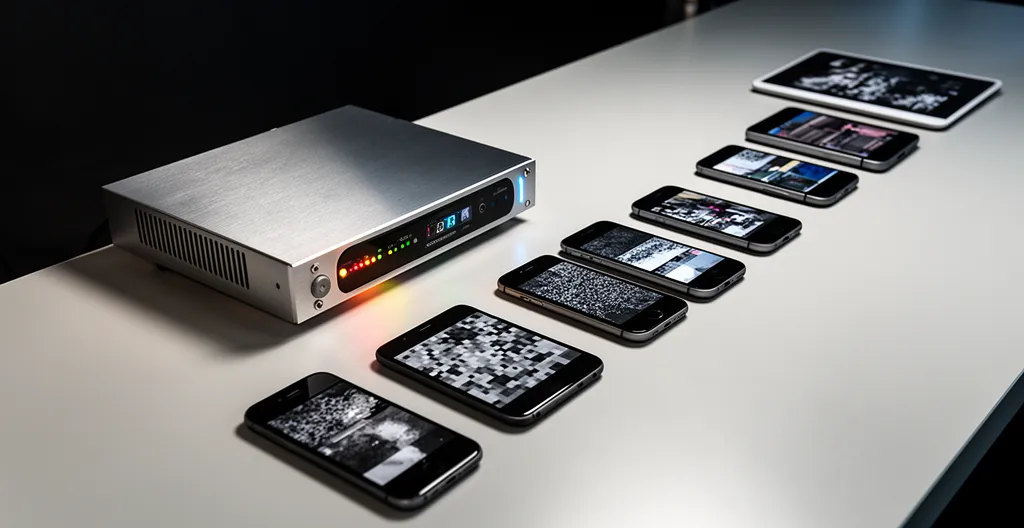
Eliminating mobile video buffering isn’t about finding one perfect bitrate; it’s about implementing a flexible, multi-layered Adaptive Bitrate (ABR) system.
- A static, high-bitrate video file penalizes users on weak connections, hurting SEO and user experience.
- An ABR system dynamically serves the optimal video quality based on each user’s real-time network conditions.
Recommendation: Shift your strategy from creating a single « best » video file to architecting a « rendering ladder » of multiple files designed to deliver a smooth experience for every viewer, everywhere.
For a web manager, there are few things more frustrating than seeing a beautifully produced, high-impact video fail to perform where it matters most: on a potential customer’s smartphone during their daily commute. You’ve invested in production, but the end-user sees a spinning wheel, a stuttering image, or a complete stall. The common advice— »just compress your video » or « use a lower resolution »—is a blunt instrument that fails to address the fundamental challenge of mobile delivery: network variability.
A single, one-size-fits-all video file is destined to fail. It’s either too large for a weak 4G signal, causing buffering, or it’s of disappointingly low quality for a user on a strong 5G connection. This trade-off is a false choice. The true solution isn’t about finding the perfect file; it’s about architecting an intelligent, responsive streaming *system*. This requires a strategic shift away from static asset delivery and towards a dynamic, context-aware approach that treats user experience and technical performance as two sides of the same coin.
This guide will walk you through the engineering mindset required to solve the mobile buffering problem. We will deconstruct the negative impact of simplistic encoding, provide a clear path to implementing Adaptive Bitrate Streaming (ABR), and explore the platform-specific optimizations that ensure your video content not only plays, but also performs, converts, and contributes to your business goals.
Table of Contents: How to Master Video Encoding for Mobile Streaming
- Why High Bitrates Hurt Your SEO and User Experience?
- How to Set Up Adaptive Bitrate Streaming for a Corporate Internal Portal?
- Vimeo Enterprise or Custom HTML5:How to Use Gated Video Content to Capture High-Quality B2B Leads?
- The Aspect Ratio Mistake That Crops Your Text on Mobile Feeds
- When to Upload 4K to YouTube to Ensure High Quality at Launch?
- Why Upload Speed is the Bottleneck for Video Production Agencies?
- The Embedding Mistake That Kills Your Landing Page Load Speed and Conversion
- 4K HDR vs 1080p SDR: What Do UK Consumers Actually Watch on Mobile?
Why High Bitrates Hurt Your SEO and User Experience?
In the world of web performance, forcing a large, high-bitrate video onto a mobile user is the equivalent of trying to fit a square peg in a round hole. The immediate and most visible consequence is buffering. However, the damage runs much deeper, directly impacting your site’s SEO and overall user experience. This negative impact can be quantified as a « bandwidth tax »—a penalty you pay in engagement and search ranking for failing to respect the user’s connection.
Search engines like Google have made it clear that user experience is a primary ranking factor. Core Web Vitals (CWV) are the metrics used to measure this experience, and heavy videos are a primary culprit for poor scores. A large video file can delay the Largest Contentful Paint (LCP) and, more critically, cause high Interaction to Next Paint (INP). High INP occurs when the browser’s main thread is busy downloading or processing video, making the page unresponsive to user clicks and scrolls. Recent research shows that 43% of sites fail the 200ms INP threshold, often due to unoptimized media.
Beyond SEO, the user experience suffers directly. A user on a metered data plan resents having their allowance consumed by a video they can’t even watch smoothly. This frustration leads to high bounce rates and negative brand perception. The goal is not to deliver the highest possible quality in a vacuum, but to deliver the best possible experience within the constraints of the user’s context. This means prioritizing a fast start time and smooth playback over a few extra pixels of resolution that the user may not even notice on a small screen.
How to Set Up Adaptive Bitrate Streaming for a Corporate Internal Portal?
The definitive solution to the problem of network variability is Adaptive Bitrate Streaming (ABR). Instead of serving a single video file, ABR involves creating multiple versions of the video (called « renditions ») at different bitrates and resolutions. The video player then intelligently detects the user’s available bandwidth and device capabilities in real-time, seamlessly switching between renditions to deliver the highest quality stream without buffering. For a corporate portal, where users might be connecting from the office LAN, a home office, or a mobile hotspot, ABR is not a luxury—it’s a necessity.
Implementing ABR involves two main components: a transcoding process to create the rendition ladder and a player that supports ABR protocols. The most common protocols are HLS (HTTP Live Streaming) and MPEG-DASH (Dynamic Adaptive Streaming over HTTP). HLS is broadly supported natively on Apple devices, while DASH is a codec-agnostic international standard offering great flexibility.
This diagram illustrates a typical ABR architecture in a corporate environment, where a single source video is transcoded into multiple renditions and distributed via a CDN to various user devices.

As the diagram shows, the server does the heavy lifting upfront by creating the renditions. The player on the end-user’s device then makes lightweight, dynamic decisions, requesting the appropriate video segment from the CDN. This distributed intelligence is the key to scalable, high-performance video delivery.
Case Study: VIDIZMO EnterpriseTube ABR for the IRS
A prime example is the deployment of VIDIZMO EnterpriseTube for the IRS, which needed to support up to 20,000 concurrent viewers for internal events. By implementing an ABR system using both HLS and MPEG-DASH, combined with P2P edge caching, they successfully reduced bandwidth consumption by a staggering 60-90% during peak events like town halls. Their configuration included a robust ladder of 5-8 renditions, ranging from a low-bandwidth 240p stream at 0.5 Mbps to a high-quality 4K stream at 16 Mbps, ensuring a seamless experience for every employee, regardless of their connection.
Choosing between HLS and DASH often depends on your specific audience and infrastructure. The following table provides a high-level comparison for corporate use cases.
| Feature | HLS | DASH |
|---|---|---|
| Device Compatibility | Native on iOS/macOS, broad Android support | Requires JavaScript player on iOS |
| Codec Support | H.264, H.265, limited options | Codec-agnostic, wider flexibility |
| Live Stream Performance | More reliable for live events | Lower latency potential |
| Corporate Network | Better for mixed device fleet | Better for standardized environments |
| Default Segment Length | 6 seconds (adjustable) | 2-10 seconds (flexible) |
Vimeo Enterprise or Custom HTML5:How to Use Gated Video Content to Capture High-Quality B2B Leads?
For B2B marketing, video is a powerful tool for lead generation, but its effectiveness hinges on the user experience. A common tactic is « gating » content behind a lead form. However, a pre-roll gate (demanding contact information before the video even starts) often creates a poor experience and results in low-quality, unqualified leads. The key is to leverage player intelligence to gate content *progressively*, asking for information only after the viewer has demonstrated genuine interest.
This is where the choice between a platform like Vimeo Enterprise and a custom HTML5 player becomes critical. Vimeo Enterprise offers robust, out-of-the-box solutions for lead gating and CRM integration. It’s a secure, reliable option for those who need to deploy quickly without deep technical overhead. However, for maximum control and data-driven optimization, a custom HTML5 player provides unparalleled flexibility. With a custom player, you can trigger events based on any metric you choose: percentage watched, number of re-watches on a specific chapter, or even interactions with elements within the video.
This level of control allows for a much more sophisticated lead capture strategy. Instead of a blunt pre-roll gate, you can implement a « mid-roll » or « post-roll » gate that appears after the viewer has received significant value. For example, you could present a lead form at the 75% completion mark of a product demo. A lead captured at this stage is significantly more qualified than one captured before a single frame is viewed. This approach respects the user’s time and aligns the exchange of information with the delivery of value.
Case Study: FastPix’s Progressive Gating Strategy
The power of this method is demonstrated by a strategy from FastPix. They use custom HTML5 players that monitor engagement metrics like watch percentage. Their lead forms are programmed to appear only after a viewer has shown clear interest by watching a significant portion of the content, typically 75%. The result is a dramatic increase in lead quality. These leads are not from casual browsers, but from engaged prospects who have already consumed the core message, making them far more valuable to the sales team.
The Aspect Ratio Mistake That Crops Your Text on Mobile Feeds
Encoding for mobile isn’t just about bitrate; it’s also about physical dimensions. With 75% of global video plays happening on mobile devices, failing to optimize for the mobile screen is a critical error. The most common mistake is assuming a standard 16:9 widescreen video will display correctly in a vertical mobile feed. Social media platforms will automatically crop, reframe, or add black bars to non-native videos, often cutting off crucial information, on-screen text, or the main subject of the shot.
Each platform has its own « safe zones » and optimal aspect ratios. A video created for a LinkedIn feed (1:1 or 16:9) will be disastrously cropped in an Instagram Reel or YouTube Short, which are designed for a 9:16 vertical format. The « one-size-fits-all » approach fails again. A professional workflow requires creating different edits or, at the very least, framing the master shot with platform-specific safe zones in mind.
This means ensuring that logos, subtitles, and key visual elements are placed within a central area that will remain visible even after the video is cropped to a 1:1 square or a 4:5 vertical format. For maximum impact, however, creating native vertical video (9:16) for platforms like TikTok and Reels is the best practice. It fills the entire screen, creating a more immersive experience and commanding greater user attention than a small, letterboxed widescreen video.
The following table is an essential reference for any web manager or content creator planning a multi-platform video strategy.
| Platform | Optimal Aspect Ratio | Max Duration | Safe Zone Notes |
|---|---|---|---|
| Instagram Reels | 9:16 (Vertical) | 90 seconds | Full-screen mobile impact |
| TikTok | 9:16 (Vertical) | 10 minutes | Native editing features included |
| YouTube Shorts | 9:16 (Vertical) | 60 seconds | Maximum engagement format |
| Facebook Feed | 1:1 (Square) | No limit | Better mobile performance |
| LinkedIn Feed | 1:1 or 16:9 | 10 minutes | Professional context preferred |
When to Upload 4K to YouTube to Ensure High Quality at Launch?
A common question from quality-conscious creators is when to upload in 4K. While it seems like a straightforward way to ensure the best quality, the reality of YouTube’s processing pipeline is more nuanced. When you upload a video, YouTube first creates a low-resolution « draft » version for immediate playback. It then re-encodes the video in the background to create multiple renditions for its ABR system, including higher-quality versions using more efficient codecs like VP9 or AV1.
The key insight is that this high-quality processing takes time—sometimes hours for long 4K videos. If you upload and immediately make your video public, most of your initial viewers will only have access to the lower-quality AVC1 codec version, leading to a subpar launch experience. This is especially true for videos under 4K resolution.
To ensure high quality at launch, you must work *with* YouTube’s system, not against it. The professional strategy is to upload your video as « Unlisted » or « Private » at least 12-24 hours before your intended launch time. This gives YouTube’s servers ample time to complete the full transcoding process. You can check the processing status by attempting to watch your own unlisted video and checking the « Stats for nerds » menu to see if the VP9 codec is available. Furthermore, uploading at a resolution of at least 1440p (2K), even if your source is 1080p, is a well-known trick to push YouTube to prioritize the higher-quality VP9 codec, which offers significantly better quality at a given bitrate than the standard AVC1 codec. For mission-critical uploads, providing a high-bitrate source file like ProRes, rather than a pre-compressed H.264 file, gives YouTube’s encoder the best possible material to work with. While extreme resolutions like 8K are supported, they come with immense file sizes and bitrate demands, as YouTube’s latest encoding specifications recommend up to 80-160 Mbps for 8K uploads.
Your Action Plan: YouTube Upload Optimization Timeline
- Upload video as ‘Unlisted’ 12-24 hours before public launch for full processing.
- Use 1440p (2560×1440) minimum to trigger VP9 codec without 4K rendering time.
- Schedule as ‘Premiere’ to signal importance for prioritized processing.
- Upload high-bitrate source file (ProRes 422 preferred over compressed H.264).
- Monitor processing status to ensure all quality levels are available before launch.
- Switch from ‘Unlisted’ to ‘Public’ at the scheduled time for immediate availability.
Why Upload Speed is the Bottleneck for Video Production Agencies?
While this guide focuses on the *delivery* of video to the end-user, it’s important for web managers to understand the challenges on the *production* side. For video production agencies, the single biggest technical bottleneck is often not rendering power, but upload speed. A finished video project, especially in 4K or with high-bitrate source files, can be hundreds of gigabytes. Transferring these massive files to clients for review or to cloud platforms for encoding is a time-consuming process that can bring a workflow to a halt on a standard business internet connection.
This distinction is crucial. The size of the source file used in production is orders of magnitude larger than the size of the delivery files served to viewers. An agency might work with a 200GB ProRes master file to preserve maximum quality during editing, color grading, and effects work. After encoding for streaming, the entire set of ABR renditions might only total 500MB. Therefore, when communicating with a production agency, it’s important to differentiate between the requirements for the master archival file and the specifications for the streaming delivery files.
To overcome this bottleneck, agencies are increasingly adopting « proxy-first » workflows. Editors work with small, low-resolution proxy files that are easy to transfer and manipulate. The full-resolution « conform » and final export are then handled by a single operator with a dedicated high-speed fiber connection or by a cloud-based system. This approach decouples the creative process from the constraints of upload bandwidth, dramatically accelerating production timelines by as much as 70% in some cases. Understanding this helps a web manager set realistic expectations for file delivery and appreciate the complexity of the video production pipeline.
The Embedding Mistake That Kills Your Landing Page Load Speed and Conversion
You’ve perfectly encoded your video with ABR, and it’s hosted on a powerful CDN. The final step is embedding it on your landing page, and this is where many well-optimized video strategies fall apart. The standard iframe embed code provided by platforms like YouTube or Vimeo is notoriously heavy. It loads the entire video player, along with its associated scripts and tracking libraries, as soon as the page starts to render, even if the video is far down the page and the user never clicks play.
This has a devastating impact on your landing page’s Core Web Vitals. The heavy iframe can become the Largest Contentful Paint (LCP) element, significantly delaying the time it takes for the main content to appear. It also consumes main-thread resources, increasing the risk of high INP. The business impact is direct and measurable; Google’s performance research reveals that even a 0.1 second reduction in load time can increase conversions by 8%. A slow-loading video embed is literally costing you money.
The solution is to adopt a « lazy loading » strategy using a video facade. Instead of embedding the full player, you embed a lightweight placeholder—typically a high-quality poster image that looks like the video player. This facade is extremely fast to load. The heavy iframe and the full video player are only loaded when the user explicitly interacts with the placeholder by clicking the « play » button. This simple technique dramatically improves initial page load speed, directly benefiting your LCP and INP scores. Modern browsers support the `loading= »lazy »` attribute for iframes, which is a good first step, but a true facade implementation offers the most significant performance gains by preventing any player-related resources from loading until they are actually needed.
Key Takeaways
- Stop optimizing for a single file; start architecting an Adaptive Bitrate (ABR) system.
- User experience and technical performance are linked. Poor encoding directly harms SEO and conversion rates.
- Context is king: the user’s device, network, and the platform’s aspect ratio rules must dictate your encoding strategy.
4K HDR vs 1080p SDR: What Do UK Consumers Actually Watch on Mobile?
There is a strong temptation to always encode and deliver the highest possible quality, such as 4K HDR. It feels like future-proofing and offering a premium experience. However, the reality of mobile consumption requires a more pragmatic approach. The critical question isn’t « what is the best possible quality? » but « what is the best *perceivable* and *deliverable* quality for the majority of my mobile audience? »
The « deliverable » part is constrained by network infrastructure. Even in developed markets with advanced 5G rollouts, the majority of connections are not on the latest network. For example, a recent Ofcom report on the UK mobile market showed that while 5G is growing, a significant majority of connections still rely on 4G. Furthermore, 5G coverage is not uniform, with performance varying wildly between urban and rural areas. Pushing a 20 Mbps 4K HDR stream to a user on a congested 4G network is a recipe for buffering.
The « perceivable » part relates to the device itself. The benefits of 4K resolution are significantly diminished on a 6-inch smartphone screen held at a normal viewing distance. For most users, a high-quality 1080p stream is visually indistinguishable from a 4K stream on mobile. The difference in bitrate, however, is substantial. A 1080p stream might require 5 Mbps, while a 4K stream requires 15-20 Mbps. For the user, this means the 1080p stream will start faster, play more reliably, and consume less of their mobile data plan—all for no perceivable loss in quality.
Therefore, a smart ABR rendering ladder for a mobile-first audience should be heavily weighted towards the lower end. It should absolutely include excellent 720p and 1080p renditions, as these will serve the majority of users. A 4K rendition can be included for the small percentage of users on premium devices with pristine connections, but it should not be the default or the primary target. The goal is to build a pyramid of quality, with a broad, stable base of 1080p and below, and a narrow peak for the 4K experience.
The next logical step is to analyze your existing video assets and streaming configuration to identify opportunities for implementing these experience-first encoding strategies. By prioritizing a smooth, buffer-free experience for every user, you ensure your message is not only seen but also felt, leading to higher engagement and better business outcomes.