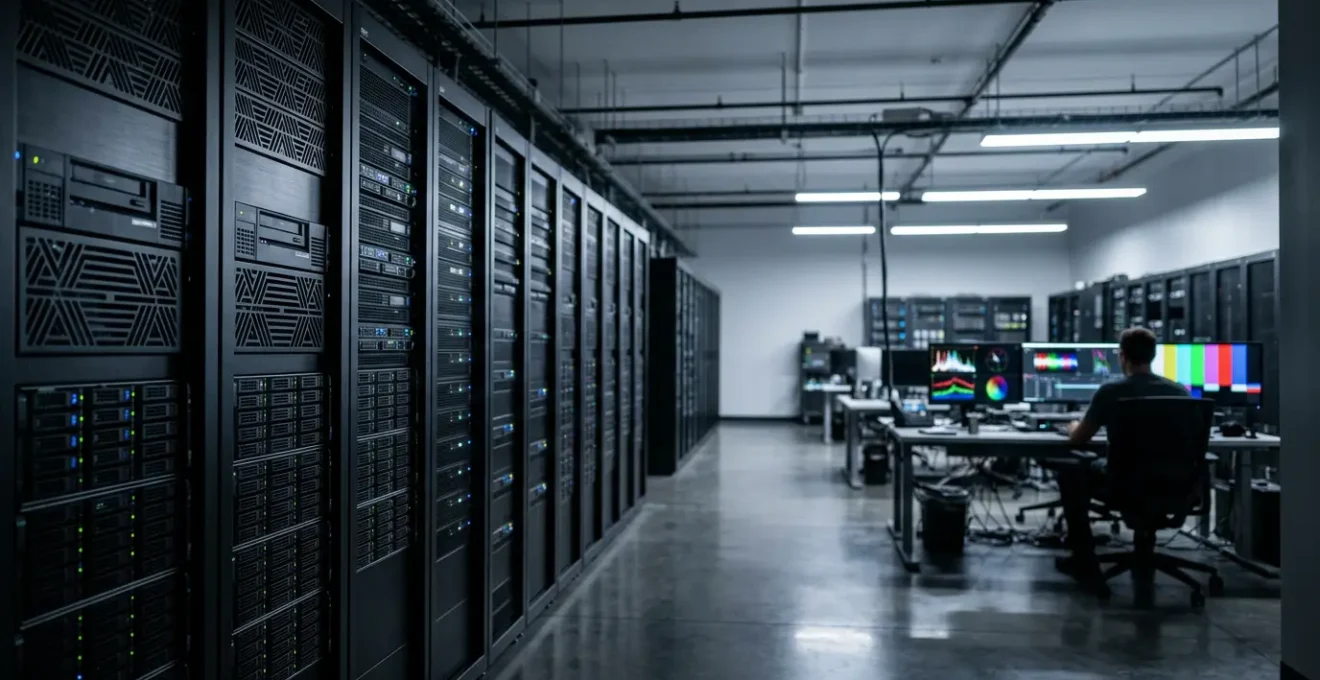
Viewing raw footage storage as a ‘dead cost’ is a critical strategic error; it’s a valuable, depreciating asset that functions as quantifiable insurance against future business risks.
- Failing to archive properly introduces massive financial risks from potential reshoots and lost efficiency, costing far more than storage.
- A structured archival process, from on-location offloading to metadata strategy, transforms raw files from a liability into a discoverable, high-value asset.
Recommendation: Shift from a cost-focused mindset to an asset management strategy. Implement a clear pipeline to secure, organize, and leverage your raw footage for long-term ROI and risk mitigation.
For any company director, the line item for « data storage » can look like a black hole for capital. Terabytes of « unused » video files sit on servers, accruing costs without generating immediate revenue. The logical, cost-cutting impulse is to ask: why are we paying to keep all of this? The common answers— »for backups » or « for a social media cut »—barely scratch the surface and fail to justify the expense in a boardroom. This perspective, while understandable, misses the fundamental nature of raw footage in today’s media landscape.
The real discussion isn’t about storage; it’s about asset management and risk. In an era of accelerating content velocity and shifting market trends, your archive of raw footage is not a collection of digital dust. It is your company’s visual history, a library of strategic options, and your single best insurance policy against the immense costs of a future rebrand, a new campaign direction, or the sudden need to pivot your messaging. The value of an old take is zero until the day it saves you a five-figure reshoot, at which point its value becomes almost incalculable.
But if this footage is a valuable asset, why does it feel like a disorganized and expensive burden? The problem lies in the absence of a deliberate strategy. Without a robust pipeline, raw footage becomes an inaccessible data swamp. This guide moves beyond the platitudes and reframes the conversation. We will approach raw footage as a strategic asset with a distinct lifecycle. We’ll break down how to secure it from the moment of capture, structure it for long-term value, and design a post-production pipeline that turns your largest data cost into a powerful competitive advantage.
This article will guide you through the critical stages of building a resilient and valuable raw footage archive. From quantifying the financial risks of deletion to designing an efficient post-production pipeline, you’ll gain the insights needed to transform your data storage from a cost center into a strategic asset.
Summary: Why Raw Footage is a Strategic Asset, Not a Cost
- Why Deleting « Useless » Takes Could Cost You £5,000 in Reshoots Later?
- How to Offload Media Cards on Location Without Risking Corrupt Files?
- SSD vs HDD RAID: Which Storage System is Safe for Long-Term Archiving?
- The Contract Clause That Strips You of Your Rights to the Raw Files
- How to Name Your Files So an Editor Can Find a Clip in 30 Seconds?
- Why a Bad Folder Structure Costs You 15% of Your Billable Hours?
- Why Upload Speed is the Bottleneck for Video Production Agencies?
- How to Design a Post-Production Pipeline That Prevents Bottlenecks?
Why Deleting « Useless » Takes Could Cost You £5,000 in Reshoots Later?
The decision to delete « useless » B-roll or alternate takes feels like efficient data management. In reality, it’s a high-stakes gamble with your production budget. A future rebrand, a shift in marketing strategy, or a new product launch can suddenly make those discarded clips invaluable. The cost of a reshoot is not just about hiring a camera crew again; it involves re-securing locations, rehiring talent, renting equipment, and diverting your team’s focus from new projects. This can easily run into thousands of pounds, dwarfing years of storage costs. Think of your raw footage archive as an insurance policy with a one-time premium.
The financial argument becomes even clearer when you look at post-production costs. According to data from Los Angeles post-production facilities, processing dailies for new footage is a significant expense, with 4K footage costing around $750 per hour compared to $500 for 1080p. Having a deep archive of alternate takes and establishing shots provides your creative team with options. An editor can salvage a sequence or create an entirely new cut without triggering these expensive post-production cycles. By shooting each scene multiple times and preserving all takes, you are essentially pre-paying for future flexibility at a fraction of the cost of re-acquisition.
This « option value » is a core concept in asset management. While a specific clip may have no immediate use, its potential future use gives it value. Deleting it destroys that option permanently. A comprehensive archive ensures that when a client requests a minor change or a completely new edit months later, the answer is a simple « no problem » pulled from the archive, not a budget-breaking « we’ll need to schedule a reshoot. »
How to Offload Media Cards on Location Without Risking Corrupt Files?
The asset lifecycle of your footage begins the second it’s recorded. The most vulnerable point in this entire lifecycle is the transfer from a fragile media card to a storage drive on location. A corrupted file at this stage means the footage is lost forever. This is not a task for an intern with a laptop; it requires a professional, methodical approach executed by a Digital Imaging Technician (DIT) or a dedicated data wrangler. Their role is to ensure 100% data integrity from the field to the edit suite.
A professional offloading process is built on redundancy and verification. The industry-standard 3-2-1 rule is the foundation: maintain at least three copies of your data, on two different types of media, with one copy stored off-site. On location, this translates to offloading footage from the camera card to at least two separate, reliable hard drives. This process should use software that performs a checksum verification (like a digital fingerprint) to confirm that the copied file is an exact, bit-for-bit duplicate of the original. Only after a successful, verified transfer to multiple destinations should the media card be considered for reformatting.
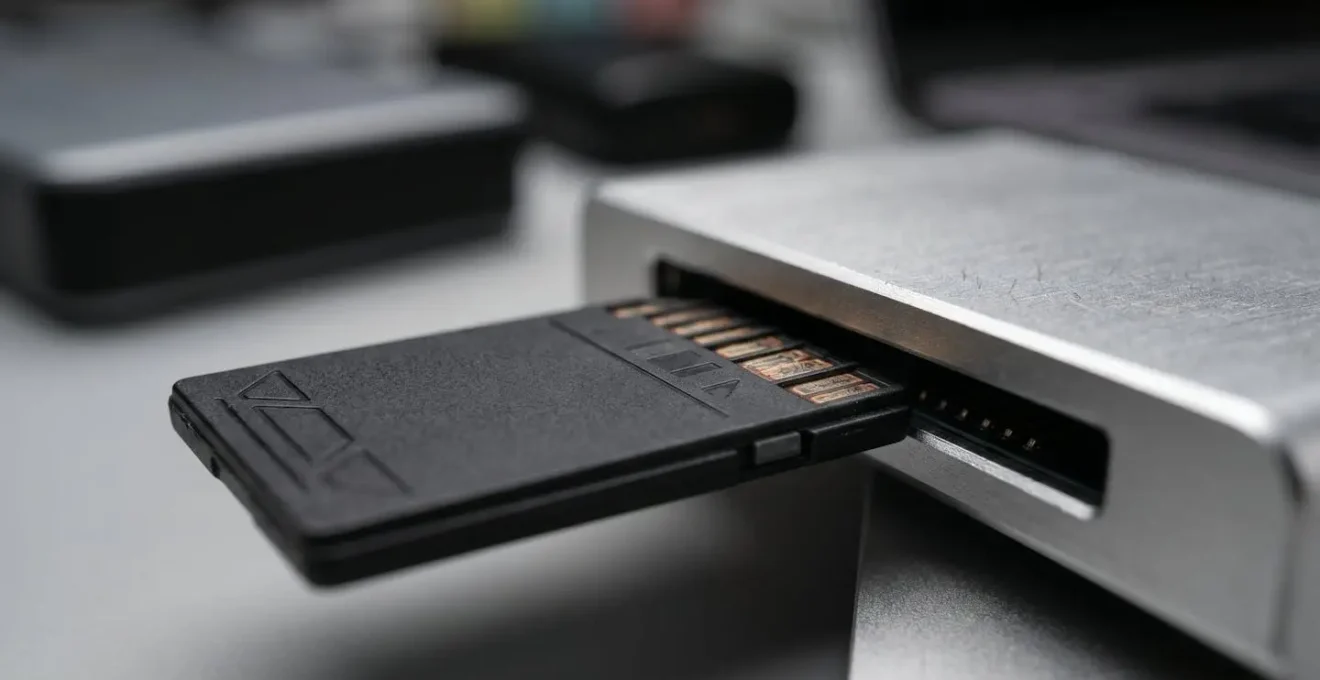
As the image above illustrates, a dedicated DIT station is a controlled environment designed for secure data transfer. It’s not just about copying files; it’s about beginning the organizational process that will define the asset’s value for years to come. Files should be organized methodically, typically by date, project, and camera, without altering the original camera-generated filenames or directory structure, which often contain crucial metadata. This initial discipline prevents a chaotic data dump that will cost hours of sorting time in post-production.
Your On-Location Media Offload Checklist: Securing Footage from Day One
- Apply the 3-2-1 Rule: Immediately create three copies of all footage—two on-site on different physical drives, and one ready for off-site transfer.
- Organize Systematically: Offload material into a pre-defined folder structure (e.g., by date and camera) without ever altering original camera filenames.
- Verify, Don’t Assume: Use checksum verification software (like Shotput Pro or Silverstack) to ensure every copied file is a perfect duplicate of the original.
- Automate for Consistency: Where possible, use automated backup software to schedule transfers and verifications, reducing the risk of human error.
- Archive Everything: Ensure both the raw footage and any on-set transcodes or proxy files are backed up, providing maximum flexibility for the post-production team.
SSD vs HDD RAID: Which Storage System is Safe for Long-Term Archiving?
Once your footage is safely offloaded, the next question is where it will live for the next 5, 10, or even 30 years. Choosing the right storage medium is a strategic decision that balances speed, cost, and longevity. It’s crucial to think in terms of storage tiers: hot, warm, and cold. Hot storage is for active projects needing high-speed access; warm storage is for recently completed projects that might still be needed; and cold storage is for long-term, deep archiving where access is infrequent but preservation is paramount.
For hot storage, an SSD (Solid-State Drive) RAID is the champion. RAID (Redundant Array of Independent Disks) configurations combine multiple drives to provide speed and/or data protection. SSDs offer unparalleled transfer rates, which are essential for editing high-resolution 4K or 8K footage without bottlenecks. However, their higher cost per terabyte and a lifespan of 5-10 years make them less suitable for long-term, inactive archives. In contrast, HDD (Hard-Disk Drive) RAID systems offer a much better cost-per-terabyte ratio, making them ideal for warm storage—keeping terabytes of footage from the last year or two readily accessible.
But for true long-term « cold » archiving, the gold standard is LTO (Linear Tape-Open). While it seems archaic, LTO tape has a shelf life of up to 30 years, far exceeding any disk-based media. Its cost per terabyte is the lowest available, and its offline nature provides an « air-gapped » security layer, protecting your master archive from online threats like ransomware. A typical workflow involves moving a project from hot SSD storage to warm HDD storage upon completion, and finally to cold LTO storage after a year or two.
This tiered approach, as detailed in the following comparative analysis, allows you to optimize costs without sacrificing security or accessibility, ensuring the asset’s integrity throughout its lifecycle. As shown by a recent comparative analysis of storage solutions, each medium has a specific role to play.
| Storage Type | Capacity | Transfer Rate | Lifespan | Best Use Case |
|---|---|---|---|---|
| LTO Tape | 18TB (45TB compressed) | 400-750 Mbps | 30 years | Long-term cold storage |
| SSD RAID | Variable | High speed | 5-10 years | Hot storage for active projects |
| HDD RAID | High capacity | Moderate speed | 3-5 years | Warm storage for recent archives |
The Contract Clause That Strips You of Your Rights to the Raw Files
You can have the most sophisticated archiving system in the world, but it means nothing if you don’t legally own the footage it contains. The ownership of raw files is one of the most frequently overlooked and contentious areas in production agreements. Many clients assume that because they paid for the final video, they also own all the constituent parts. Conversely, many production companies assume the raw files are their creative property. This ambiguity is a recipe for future conflict and can completely neutralize the value of your archive.
The key is to address ownership explicitly and proactively in your contracts. A standard « work for hire » clause may not be sufficient. Your production agreements must include specific language that defines:
- Ownership of Raw Footage: Clearly state who owns the raw files, separate from the final deliverable. This could be the client, the production company, or a joint ownership agreement.
- Retention and Access: Specify how long the raw footage will be stored and who is responsible for the cost. Define the terms under which the other party can access the files in the future.
- Usage Rights: Outline what each party is permitted to do with the raw footage. Can the client use it for other projects? Can the production company use it in their portfolio?
- Metadata Ownership: Clarify who owns the associated metadata, logs, and project files, which are essential for making the archive usable.
This contractual clarity is a cornerstone of professional asset management. As Jonathan English, CEO for Venture Videos, advises, it’s about preserving future options. He makes this point clearly in a discussion about best practices:
Archive Raw Footage and Final Edits: While space might be a concern, always try to save both the raw footage and the final edit. This provides maximum flexibility for future revisions or repurposing.
– Jonathan English, CEO for Venture Videos
Without this flexibility secured by contract, you are building a library of assets you may not have the right to use. A clearly worded clause is not adversarial; it is a professional practice that prevents misunderstandings and protects the long-term value of the creative work for all parties involved.
How to Name Your Files So an Editor Can Find a Clip in 30 Seconds?
A disorganized archive is functionally the same as a deleted one. If an editor can’t find a specific clip when they need it, its value is zero. The « option value » of your archived footage is directly proportional to its discoverability. This is why a consistent and descriptive file naming convention and a metadata-first strategy are not just administrative neatness—they are fundamental to unlocking the long-term ROI of your assets.
Relying on memory or cryptic filenames like `A001C004_190101_R5A3.mov` is unsustainable. A robust naming convention should be human-readable and contain essential information at a glance. A common best practice is a structure like:
[ProjectCode]_[Date]_[Scene]_[Shot]_[Take]_[CameraID].[ext]
Example: `ACME24_20240517_Interview_CEO_01_A.mxf`
This system immediately tells anyone the project, date, content, and technical details without even opening the file. This simple discipline, applied consistently from the DIT station onwards, can save hundreds of hours of searching and guesswork over the life of an archive.
However, filenames are just the first layer. A truly future-proof archive is built on a rich metadata strategy. Metadata is the data about your data: keywords, descriptions, GPS locations, talent names, and usage rights. This information should be embedded into the files or stored in a Digital Asset Management (DAM) system.
Case Study: The Metadata-First Strategy
The professional archive software Archiware P5 demonstrates the power of this approach. Instead of relying solely on filenames and folder paths, the system allows organizations to create custom metadata fields (e.g., « Client, » « Product, » « Campaign Year »). This transforms the archive into a searchable database. An editor can instantly find « all drone shots from the 2023 summer campaign for the Acme client » regardless of where the files are stored. This metadata-first approach makes the archive discoverable and resilient, even if storage platforms change or original folder structures are lost over time.
This strategy decouples the file’s value from its location, making your entire archive searchable and usable in seconds, not hours. It’s the difference between having a data swamp and having a strategic library of visual assets.
Why a Bad Folder Structure Costs You 15% of Your Billable Hours?
If a poor naming convention makes individual files hard to find, a bad folder structure creates systemic chaos that cripples an entire production. Every time an editor, a colorist, or a sound designer has to hunt for a file, the project’s momentum stalls and billable hours are wasted. This isn’t a minor inconvenience; it’s a significant drain on profitability. The time spent navigating a labyrinth of folders named « Final, » « Final_v2, » and « Really_Final_This_Time » is time that could be spent on creative work. This inefficiency directly impacts your bottom line.
The cost is quantifiable. A technical analysis of workflow efficiency shows a stark contrast: downloading and organizing a day’s worth of 4K footage can take over 5 hours in a disorganized system, compared to just over an hour in a structured one. That’s a 4-hour difference for a single day’s shoot. Across a large project, this wasted time can easily account for 10-15% of your post-production budget, silently eroding your profit margins.
The solution is to implement a universal, standardized project template that is used for every single project without exception. This creates a predictable environment where everyone on the team knows exactly where to find what they need, from original footage to final exports. A logical, top-down structure is the backbone of an efficient post-production pipeline.
A widely adopted and effective template structure looks like this:
- 01_PROJECT – Contains the main editing project files (e.g., Premiere Pro, DaVinci Resolve), scripts, and project documentation.
- 02_FOOTAGE – Holds all original camera files, organized into subfolders by date and/or camera.
- 03_AUDIO – For all audio-related files, including externally recorded sound, voiceovers, and music tracks.
- 04_GRAPHICS – The home for all visual elements like logos, motion graphics, titles, and overlays.
- 05_EXPORTS – Where all rendered outputs are saved, organized into subfolders by version and format.
- 06_ARCHIVE – A clean, final package of the completed project, ready for long-term storage.
This rigid consistency is not about stifling creativity; it’s about eliminating the cognitive load of searching for assets, freeing up your team to focus on what they do best.
Why Upload Speed is the Bottleneck for Video Production Agencies?
In the age of remote collaboration and global talent pools, the biggest brake on your production’s velocity is often not render time, but transfer time. The sheer size of modern video files, especially 4K and 6K RAW formats, creates a physical logistics problem. Waiting for hard drives to be couriered across town or shipped across the country introduces days of dead time into a project schedule. This is a critical bottleneck that limits your ability to work with the best talent, regardless of their location, and slows your time-to-market for finished content.
The data problem is growing exponentially. As the table below highlights, the storage footprint for a 4K project is immense. A single day’s shoot can easily generate 3 terabytes of data, which would take over 5 hours to download even on a fast connection. This doesn’t even account for uploading it back to another collaborator. This friction forces teams into inefficient, localized workflows and creates dependencies on physical proximity.
This data from a detailed comparison of 1080p and 4K production costs clearly illustrates the challenge.
| Format | Hourly Size (ProRes 4444) | Daily Storage (6hrs) | Download Time | Storage Cost |
|---|---|---|---|---|
| 1080p/24fps | 119GB | 690GB | 1hr 12min | $1,000 (2TB housing) |
| 4K/24fps | 509GB | 3TB | 5hr 15min | $1,600 (6TB housing) |
Case Study: Cloud-Based Workflow Transformation
Companies implementing modern cloud-based workflows, like those enabled by LucidLink, are seeing immediate and dramatic productivity gains. These solutions allow media files to be streamed directly from the cloud, making them instantly accessible to editors, VFX artists, and directors anywhere in the world. There is no more waiting for downloads or hard drive shipments. This not only eliminates the overtime costs for data wranglers who previously spent nights managing transfers and couriers but also opens up a global talent pool, allowing companies to hire the best person for the job, not just the closest.
By moving from a model of « shipping data » to « accessing data, » agencies can eliminate this critical bottleneck. This shift enables truly parallel workflows, shortens project timelines, and provides the agility needed to meet the increasing demand for high-quality video content.
Key Takeaways
- Treat Raw Footage as an Asset: Shift your perspective from storage as a cost center to your archive as a high-value strategic asset with quantifiable insurance value.
- Process is Paramount: A disciplined process, from on-location offloading to metadata tagging, is what gives your archive its long-term value and discoverability.
- Secure Ownership Legally: Your technical archive is useless without clear, contractual ownership of the raw files. Address this explicitly in every production agreement.
How to Design a Post-Production Pipeline That Prevents Bottlenecks?
A truly effective post-production pipeline is more than just a series of steps; it’s a holistic system designed to manage the entire lifecycle of a media asset, from creation to archive. Its goal is to maximize creative efficiency, minimize wasted time, and ensure the long-term value of your footage. Designing this pipeline requires thinking systemically about how data flows through your organization. It’s about proactively eliminating the bottlenecks we’ve discussed—data loss, disorganized files, legal ambiguity, and slow transfers—before they can derail a project.
An agile and resilient pipeline is built on a few core principles. First, centralization and accessibility. Whether through an on-premise NAS/SAN or a cloud-based solution, all project files must live in a single, organized source of truth. This eliminates version control issues and ensures everyone is working from the same playbook. Second, automation. Manual tasks like backing up files, transcoding proxies, and verifying data are prone to human error. Automating these processes wherever possible ensures consistency and frees up your team for higher-value work.
Finally, a robust pipeline incorporates collaboration tools. Modern platforms allow for cloud-based feedback and review, enabling stakeholders to leave time-stamped comments directly on the video. This streamlines the approval process, creates a clear record of requested changes, and avoids the confusion of feedback spread across emails and chat messages. By integrating these principles, you create a seamless flow from the initial footage offload all the way through to the final archive, transforming a potentially chaotic process into a well-oiled machine.
Now that you understand the risks and the components of a secure system, the next logical step is to audit your current workflow. Evaluate your contracts, your folder structures, and your backup strategy to identify where your assets are most vulnerable and where the greatest opportunities for efficiency lie. This is how you turn theory into practice and begin building real, long-term value.