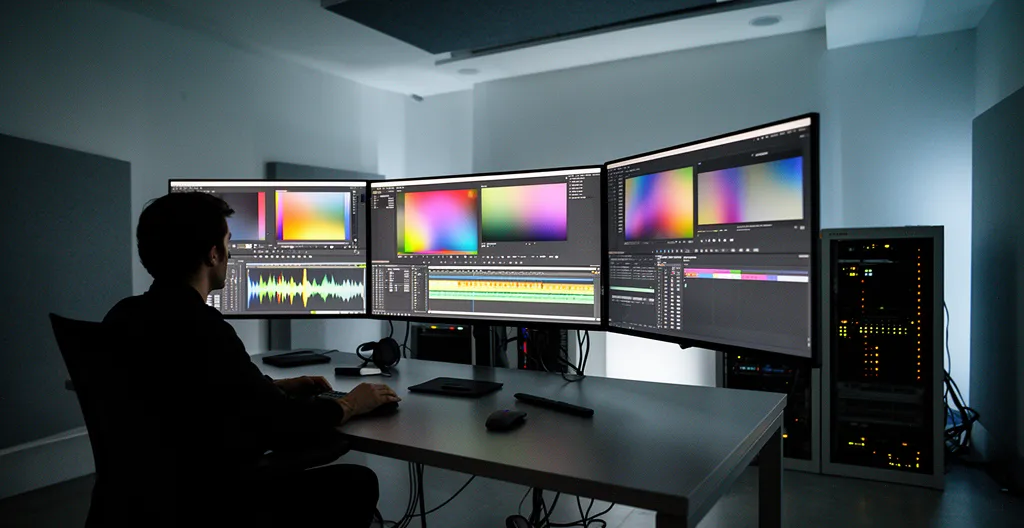
Shooting in 8K for 1080p delivery is not a simple upgrade; it’s a strategic decision that can either multiply your assets or sink your budget.
- It offers unmatched reframing capabilities (« asset multiplication ») and precision for visual effects, providing a clear return on investment on specific tasks.
- However, it creates massive storage liabilities and workflow bottlenecks that often provide no perceptual value to the end-viewer on a mobile device.
Recommendation: Use 8K as a specialized tool for specific jobs like VFX and complex social media repurposing, not as a default capture format for every project.
As a production company owner, you’re caught in a crossfire. The marketing screams « 8K! » and clients are starting to ask for it, sold on the promise of « future-proofing. » Meanwhile, your accountant is looking at the rapidly escalating hard drive and cloud storage bills with a look of pure horror. The debate feels abstract, a battle of tech specs and pixel counts. But for your business, the only question that matters is about the bottom line.
Most discussions get stuck on the obvious points: you can crop in, and the files are huge. This isn’t another tech review that will tell you what you already know. This is a workflow audit from a post-production supervisor’s desk. We’re going to replace the question « Is 8K better? » with a much more practical one: « Where does 8K generate a return on investment, and where does it just generate terabytes? » We’ll look at it not as a camera feature, but as a business decision with real-world consequences for your budget, timeline, and deliverables.
This isn’t about being for or against 8K. It’s about being smart. It’s about understanding when to deploy it as a powerful, billable tool and when to stick with a leaner 4K or 1080p workflow to protect your profit margins. By the end of this article, you’ll have a clear framework for making that call on your next project.
To navigate this complex decision, we will break down the real-world implications of an 8K workflow, from the initial shoot to the final archive. This analysis will provide a clear, business-focused perspective on the true costs and benefits.
Summary: Decoding the Real Cost of an 8K Workflow
- Why 8K Allows You to Turn One Shot into Two for Social Media?
- How to Edit 8K Footage on a Standard Laptop Without Crashing?
- Native 8K vs Upscaled 4K: Can the Average Viewer Tell the Difference?
- The Focus Pulling Nightmare That 8K Resolution Reveals
- How 8K Resolution Improves Accuracy for Green Screen Keying?
- SSD vs HDD RAID: Which Storage System is Safe for Long-Term Archiving?
- Why Upload Speed is the Bottleneck for Video Production Agencies?
- 4K HDR vs 1080p SDR: What Do UK Consumers Actually Watch on Mobile?
Why 8K Allows You to Turn One Shot into Two for Social Media?
The single most compelling financial argument for 8K is not image quality; it’s asset multiplication. For a production owner, this means generating the maximum number of deliverables from a single shoot day. With social media demanding a constant stream of content in various formats, 8K’s vast resolution is a production efficiency tool. A single, well-composed wide shot captured in 8K can be repurposed into a traditional 16:9 YouTube video, a square 1:1 Instagram post, and a vertical 9:16 Reel or TikTok clip, all without a significant loss in quality. Each of these « new » shots can feature different subjects or digital camera movements, like pans and zooms, that were never performed on set.
This « shoot once, deliver many » approach is a tangible ROI. Instead of setting up three different shots, your crew captures one. In post-production, you’re not just editing; you’re creating net-new assets. This is especially powerful with 360-degree 8K cameras, which allow you to reframe the perspective entirely after the fact. According to a case study on the Insta360 X4, this reframing capability is a cornerstone feature, allowing editors to refocus on different subjects within the same clip, effectively creating multiple dynamic shots from one static recording.
This strategy is crucial in a market where brands are constantly increasing their video output. You’re no longer just selling a « video »; you’re selling a « content package. » The ability to extract high-quality stills, multiple video formats, and different compositions from a single 8K source file is a powerful value proposition for clients and a direct boost to your agency’s profitability. It transforms the camera from a capture device into a content generation engine.
How to Edit 8K Footage on a Standard Laptop Without Crashing?
The fear of 8K workflow is often summarized by the image of a smoking, melted laptop. The sheer data throughput required seems to necessitate a multi-thousand-dollar workstation. However, this overlooks the most critical and cost-effective technique in modern post-production: the proxy workflow. The secret isn’t more powerful hardware; it’s a smarter process. A proxy workflow involves creating low-resolution « stand-ins » (proxies) of your massive 8K original files. You perform your entire edit using these small, nimble files, which any standard-issue professional laptop can handle without issue.
This means your editor can work smoothly, making creative decisions without being bogged down by stuttering playback or constant crashes. The heavy lifting is deferred until the very end. Once the edit is locked, the editing software automatically links back to the original full-resolution 8K files for the final export and color grade. This process, known as conforming, ensures the final product has the maximum quality without compromising the editing experience. By implementing proxies, a system can become anywhere from 3 to 10 times faster during the edit.
This workflow is the great equalizer. It means you don’t need to immediately invest in a fleet of new, top-of-the-line machines to handle an 8K project. You can leverage your existing hardware by simply implementing a more disciplined workflow. Software like DaVinci Resolve and Premiere Pro have built-in tools like Optimized Media and Smart Render Cache that streamline this process. The investment shifts from expensive hardware to smart, efficient post-production procedure.
The image below shows a typical setup for this kind of workflow, where external drives are key to managing media without overloading the internal system. This method keeps the active project nimble and the master files safe.
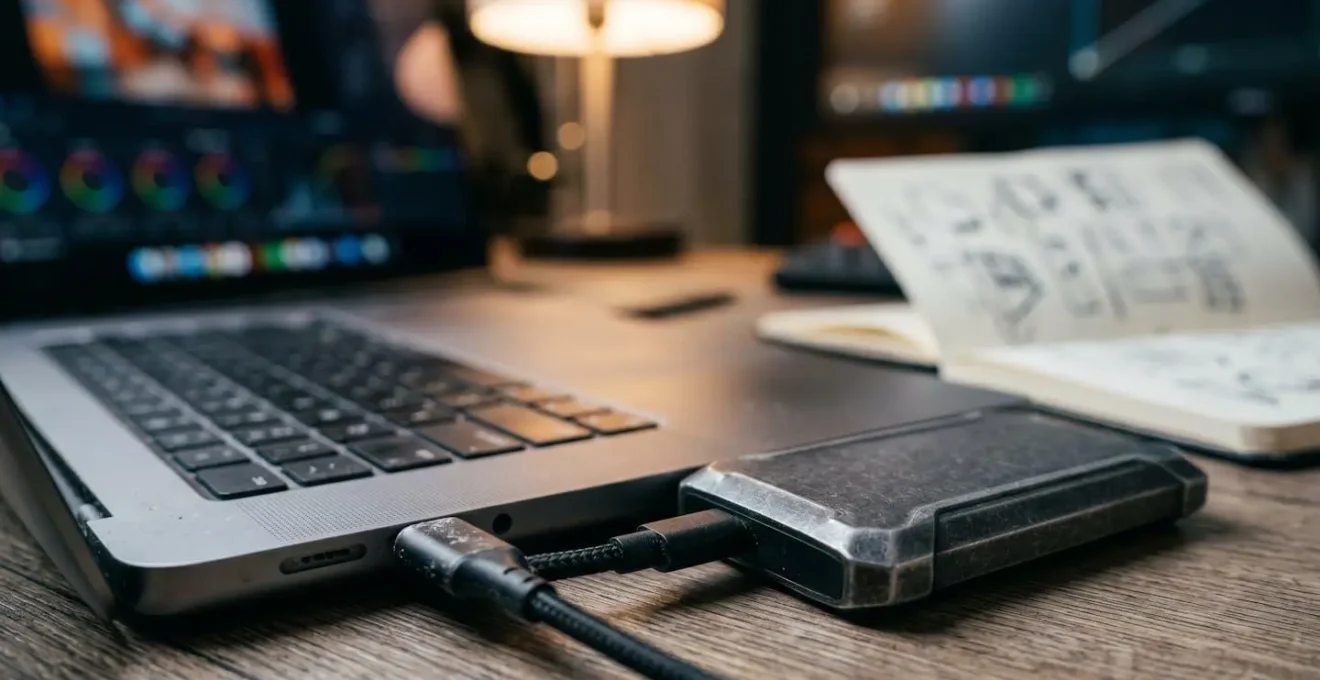
As you can see, the focus is on a streamlined and organized process. The key is to avoid performance-heavy tasks like applying visual effects or complex color grades until after the main story edit is complete using the proxy files. This keeps the system responsive when it matters most—during the creative cut.
Native 8K vs Upscaled 4K: Can the Average Viewer Tell the Difference?
This is where the technical promise of 8K meets the practical reality of distribution. The theory is sound: capturing in 8K and downsampling to 1080p or 4K results in a sharper image with better color information than capturing natively in those resolutions. The process of downsampling averages multiple pixels into one, creating a richer, more detailed final pixel. This is particularly noticeable in color, where an 8K-to-1080p workflow can yield a final image with color fidelity (near 4:4:4 chroma subsampling) that is technically impossible to achieve with a native 1080p camera, which typically records in 4:2:0.
But the crucial question for a production owner is one of perceptual value. Does this technical superiority translate into a difference the client’s target audience will actually notice, especially on the devices they use? The evidence suggests it’s highly context-dependent. While enthusiasts with large, high-end displays may appreciate the subtle increase in sharpness and lack of compression artifacts, the vast majority of viewers consuming content on laptops, tablets, and especially smartphones, will likely not perceive the difference. The viewing environment, screen size, and compression applied by social media platforms are far greater factors in the final perceived quality than the source resolution.
The following table, based on industry analysis, breaks down the technical differences when delivering a final 1080p file from various source resolutions.
| Resolution Path | Final 1080p Quality | Color Information | Compression Artifacts |
|---|---|---|---|
| 8K → 1080p | Superior sharpness | Near 4:4:4 color space | Minimal after compression |
| 4K → 1080p | Good sharpness | 4:2:2 typical | Some visible on edges |
| Native 1080p | Standard | 4:2:0 typical | Most visible in gradients |
While 8K clearly holds a technical advantage, the decision must be a financial one. Is the « superior sharpness » worth the quadrupled data storage and increased render times if the video is destined for a 6-inch screen? In many cases, a well-shot 4K project provides more than enough quality for 1080p delivery, representing a much more balanced cost-to-benefit ratio.
The Focus Pulling Nightmare That 8K Resolution Reveals
While 8K offers incredible detail, that same detail becomes a double-edged sword on set. The hyper-sharpness means there is absolutely no room for error, particularly with focus. On a 1080p or even 4K shoot, a slightly soft focus might go unnoticed or even add a pleasing, cinematic quality. In 8K, that same softness is magnified into an unforgiving, unusable blur. Every tiny imperfection, every missed focus mark, is laid bare for all to see. This dramatically increases the pressure on the camera department and can introduce significant hidden costs.
Pulling focus for an 8K sensor, especially with a shallow depth of field, is an incredibly demanding task. It often requires more time for setup, more takes to ensure a perfect shot, and potentially a larger, more experienced crew. For large-scale productions like *Guardians of the Galaxy vol. 2*, which filmed in 8K, this is a calculated cost. They use the resolution for its aesthetic and have the crew and tools to manage it. But for a smaller corporate or commercial shoot, a day spent chasing perfect focus can blow the schedule and the budget.
This is a critical risk to factor into any 8K project bid. The cost isn’t just in the hard drives; it’s in the potential for on-set delays and reshoots. Modern tools like advanced focus peaking and eye-tracking autofocus can help, but they are not infallible. The unforgiving nature of 8K resolution means that what used to be a « good enough » take is now a « reject, » adding a layer of operational risk that must be managed and budgeted for.
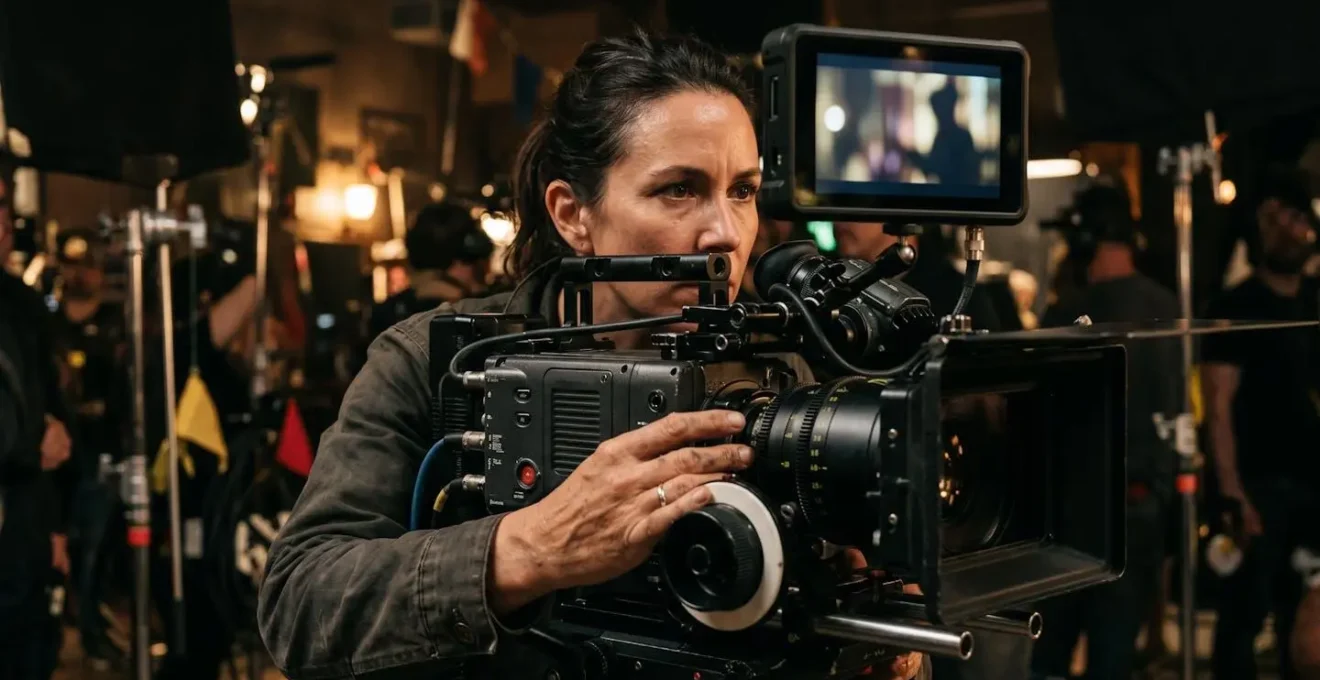
The concentration required, as seen in the image, is immense. For solo operators or small crews, this challenge is even greater, turning what should be a creative process into a stressful technical exercise. A single critical shot being out of focus could jeopardize an entire project.
How 8K Resolution Improves Accuracy for Green Screen Keying?
Beyond reframing, the most significant and quantifiable return on investment for 8K in post-production comes from visual effects (VFX) work, particularly green screen keying. A clean « key » (the process of removing the green or blue background) is the foundation of any believable composite shot. The quality of the key depends entirely on the data available at the edges of a subject—fine details like hair, motion blur, and semi-transparent objects are notoriously difficult to isolate.
This is where 8K shines as a precision tool. With four times the number of pixels as 4K, an 8K image provides the compositing software with a vastly more detailed map of the subject’s edges. The transition from subject to green screen is defined by a larger number of pixels, allowing for a much cleaner and more nuanced separation. This results in less « spill » (green reflection on the subject), more retained detail in hair and fabric, and a more believable final composite. In short, it saves an enormous amount of time—and therefore money—in post-production by reducing the need for manual rotoscoping and other painstaking cleanup tasks.
However, this precision comes at a steep data cost. As a professional VFX workflow analysis shows, 8K video produces quadruple the amount of data per hour compared to a 4K production. This is the trade-off: you are investing in data overhead upfront to save on billable post-production hours later. For a VFX-heavy project, this is almost always a wise investment. For a simple talking-head interview with no effects, it’s an unnecessary expense. This highlights the importance of treating 8K not as a default, but as a specific tool chosen for a specific job where its benefits justify its costs.
SSD vs HDD RAID: Which Storage System is Safe for Long-Term Archiving?
Shooting in 8K introduces a problem that extends far beyond the project’s delivery date: data liability. A single project can generate tens of terabytes of footage, and you are responsible for storing it securely for the long term. A best practice for an 8K project is a RAID storage system with at least 50TB of capacity. But the type of drive you use for active editing versus long-term archiving is a critical financial and security decision. SSDs (Solid State Drives) are unmatched for speed, making them ideal for active editing RAIDs, but they are expensive and less proven for long-term, unpowered storage.
HDDs (Hard Disk Drives), while much slower, offer a significantly lower cost per terabyte and are the industry standard for nearline and offline archiving. Their proven track record for data retention over many years makes them a more reliable and cost-effective choice for finished projects. A common professional workflow uses a hybrid approach: an expensive, high-speed SSD RAID for the current, active project, and a larger, more affordable HDD RAID for backing up and archiving completed work. For deep, long-term « cold storage, » many large institutions still rely on LTO (Linear Tape-Open) tapes, which offer exceptional longevity (30+ years) at an extremely low cost.
The following is a simplified comparison of storage options for a production company managing 8K archives, with data drawn from a comparative analysis of storage solutions.
| Storage Type | Speed | Cost per TB | Long-term Reliability | Best Use Case |
|---|---|---|---|---|
| SSD RAID | 7,000+ MB/s | High ($100-200/TB) | Good (5-7 years powered) | Active editing projects |
| HDD RAID | 200-500 MB/s | Low ($20-40/TB) | Excellent (10+ years) | Backing up finished projects and archiving footage. Most professional workflows use both: SSDs for current work, HDDs for long-term storage. |
| LTO Tape | 300 MB/s | Very Low ($5-10/TB) | Exceptional (30+ years) | Deep archival storage |
Simply buying drives is not a strategy. You must have a robust backup and verification plan to protect against data degradation and hardware failure. The industry-standard 3-2-1 rule is the bare minimum for protecting valuable client assets.
Your Action Plan: Implementing the 3-2-1-1 Backup Strategy for 8K Archives
- Keep 3 Copies: Maintain at least three complete copies of all critical 8K source footage. As IT professionals say, if a file doesn’t exist in three places, it doesn’t exist.
- Use 2 Media Types: Store your copies on at least two different types of storage media to protect against a single type of failure (e.g., a working copy on an SSD RAID and a backup on an HDD RAID).
- Maintain 1 Offsite Copy: Keep one full copy in a separate physical location. This is your protection against disaster like fire, flood, or theft at your primary office.
- Add 1 Immutable Cloud Copy: For ultimate protection, use a « cold storage » cloud service (like Amazon S3 Glacier) for an immutable, offsite copy that is protected from accidental deletion or ransomware.
- Schedule Integrity Checks: Implement a regular schedule for data integrity checks (filesystem « scrubbing ») on your RAIDs to detect and correct silent data corruption before it becomes a problem.
Why Upload Speed is the Bottleneck for Video Production Agencies?
You’ve navigated the shoot, your editor has masterfully crafted the story using proxies, and the final 8K master file is rendered. The project is done. Except it isn’t. Now you face the final boss of the 8K workflow: delivery. A high-end camera shooting 8K RAW can generate over 7 terabytes of data in a single hour. Even with compression, a final master file for a short project can easily be hundreds of gigabytes. Getting that file from your office to the client, the colorist, or the VFX house is a major logistical challenge.
For most businesses, internet connections are asymmetrical, with much slower upload speeds than download speeds. Trying to upload a 500GB file over a standard business internet connection can take days, not hours. This is a critical workflow bottleneck that can grind a project to a halt, causing missed deadlines and frustrated clients. The solution of shipping hard drives back and forth is slow, insecure, and adds its own logistical costs and risks.
This bottleneck is a major factor in the total cost and timeline of an 8K project. While some major cloud providers now offer dedicated, high-speed connections for enterprise customers, these are expensive solutions not accessible to most small or medium-sized production companies. For agencies working with remote teams and clients, the upload bottleneck can negate many of the efficiencies gained elsewhere in the process. It’s a crucial, often-overlooked factor that must be planned for. Before committing to an 8K workflow, you must have a clear and realistic plan for how you will move these massive files between stakeholders.
Key takeaways
- 8K’s primary ROI is « asset multiplication » for social media, turning one shot into multiple deliverables.
- Efficient proxy workflows are more critical than raw computing power, making 8K editing accessible on standard hardware.
- The biggest long-term cost of 8K is not the camera, but the ongoing « data liability » of storage, archiving, and backup.
4K HDR vs 1080p SDR: What Do UK Consumers Actually Watch on Mobile?
We’ve analyzed the costs, the workflows, and the technical benefits. Now for the final, and perhaps most important, reality check: the end-viewer. Specifically for the UK market, like many others, the primary screen for consuming social and branded video content is not a 70-inch 8K television. It’s a smartphone. Overwhelmingly, consumer behavior data reveals that a majority of consumers, with 79% in a recent US study reflecting Western trends, prefer watching videos on their smartphones.
On a 6.7-inch screen held at arm’s length, the perceptual difference between a video sourced from 8K and one sourced from 4K (both delivered at a compressed 1080p) is practically zero. Furthermore, most mobile viewing happens in highly variable lighting conditions, and often with the sound off. Factors like clear, bold graphics, easy-to-read subtitles, and a story that is compelling in the first three seconds are infinitely more important to engagement than pixel-level sharpness. The platform itself is also a great equalizer; aggressive compression from platforms like Instagram and TikTok will degrade the image, minimizing any subtle quality advantages of the source file.
Therefore, for projects where the primary or sole deliverable is for mobile social media, investing the significant overhead in an 8K workflow is often a case of diminishing, if not invisible, returns. A 1080p SDR deliverable remains the gold standard for maximum compatibility, fast loading times, and a quality level that is more than sufficient for the viewing environment. Prioritizing aspects like creative, captions, and pacing will have a far greater impact on a campaign’s success than the source resolution. The focus for mobile delivery should be on efficiency and effectiveness, not on chasing the highest possible technical specification at a cost that delivers no tangible benefit to the viewer.
Before your next project, don’t just ask about camera specs. Conduct a workflow audit from capture to archive. Evaluate whether the final deliverables and the target viewing platform truly justify the 8K overhead. Making the right choice on resolution from the start is the most effective way to protect your production’s profit margins.