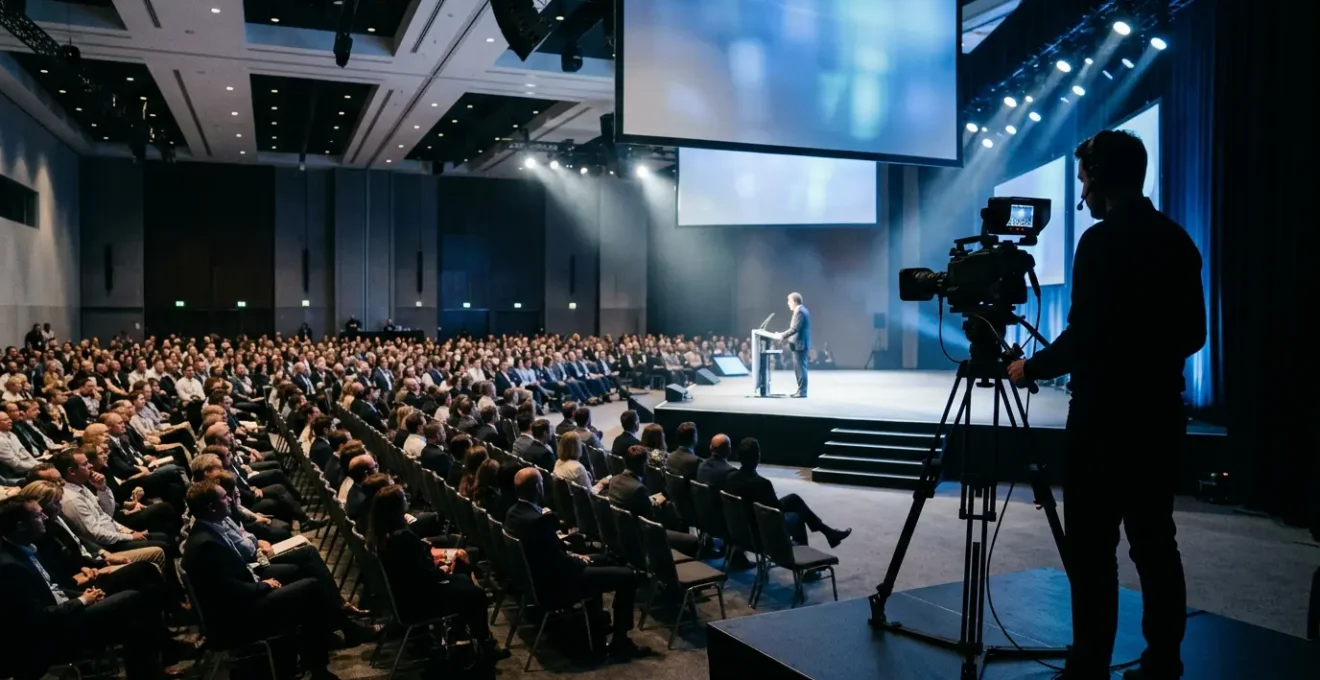
Filming a live summit isn’t a creative gig; it’s a mission-critical operation where failure is not an option and the only acceptable outcome is flawless execution.
- True audio safety comes from a direct PA system integration and a dedicated backup, not just on-camera microphones.
- Technical redundancy (dual cameras, dual-slot recording) is the only professional way to mitigate the inevitable risk of gear failure.
Recommendation: Stop thinking like a videographer and start operating like a live event director: with non-negotiable protocols, not just hopeful plans.
The house lights dim. A hush falls over a thousand attendees. You feel the familiar knot in your stomach as the CEO’s intro video plays. This is it. The keynote that the entire summit hinges on. There are no second takes, no « we’ll fix it in post, » and no room for error. As the videographer, you are the sole custodian of this moment. The pressure is immense, and a single mistake—a dead battery, a corrupted card, a burst of audio static—can render the entire multi-million dollar event a historical black hole.
Most online guides will offer generic advice: « use multiple cameras, » « get good audio, » « film some B-roll. » This is fine for a birthday party, but for a corporate summit, it’s dangerously insufficient. These tips treat the job as a creative endeavor when it is, first and foremost, a mission of risk mitigation. Professionals don’t rely on tips; they execute protocols. They don’t hope for the best; they plan for the worst.
But what if the key to perfect event capture wasn’t about having the best gear, but about having the most robust, stress-tested system? This guide is not a list of suggestions. It is a field manual, a zero-fail protocol for live event directors and the videographers who operate under their command. We will move beyond the basics and into the realm of professional redundancy, signal integrity, and workflow management that separates the amateurs from those who are trusted with unrepeatable moments.
This article details the exact operational procedures required to ensure flawless capture. We will cover everything from establishing a non-negotiable camera safety net and securing pristine audio to navigating the complex technical environment of a major city like London. Follow this guide, and you’ll be prepared for anything.
Summary: A Videographer’s Protocol for Flawless Summit Capture
- Why You Always Need a Second Camera Recording for Safety?
- How to Tap into the PA System for Crystal Clear Speech?
- Highlight Reel or Full Speech: Which Asset delivers more Value to Organizers?
- The Aperture Mistake That Ruins Focus in Dark Conference Halls
- How to Edit a « Same Day Edit » to Show at the Closing Gala?
- How to Manage a Corporate Video Shoot in London Without Disrupting Operations?
- 2.4GHz Digital or UHF Analogue: Which Wireless System is Safer for Events?
- How to Use Wireless Lavs in London Without Frequency Interference?
Why You Always Need a Second Camera Recording for Safety?
In live event production, anything that can fail, will fail. A single-camera setup is not a professional approach; it’s a gamble. A corrupted card, a sudden battery death, an overheated sensor—these are not hypothetical risks, they are operational inevitabilities. The only professional response is a robust redundancy protocol. Your primary duty is not to be creative, but to be safe. This begins with a second camera, the A-camera, locked on a wide shot of the stage. This is your insurance policy, your disaster recovery shot that guarantees you walk away with *something* usable, no matter what happens to your dynamic B-camera.
The data is clear and unforgiving. According to industry reports, an alarming 15% to 20% of single-camera shoots experience some form of technical failure that results in lost footage. Relying on one camera means you are accepting a one-in-five chance of catastrophic failure. This is an unacceptable risk for any corporate client. Your B-camera, whether roaming for dynamic shots or tight on the speaker, is for creating an engaging edit. Your A-camera is for saving your job. Both must be recording at all times, ideally with dual-slot recording to create four simultaneous copies of every moment.
This multi-layered approach is the bedrock of a zero-fail mission. The A-camera provides the wide, safe master shot. The B-camera delivers the creative close-ups and audience reactions. Dual-slot recording in both cameras protects against media failure. This isn’t overkill; it’s the minimum standard for anyone trusted to capture a moment that will never happen again. Your setup must reflect the irreplaceability of the content you are filming. Anything less is professional negligence.
How to Tap into the PA System for Crystal Clear Speech?
While video is your medium, audio is your message. A beautifully shot keynote with terrible audio is useless. The most common mistake videographers make is relying on on-camera microphones or even their own lavalier systems as the primary audio source. The only way to guarantee pristine, broadcast-quality audio of a keynote speaker is to get a direct feed from the venue’s professional audio mixing board—the Public Address (PA) system.
This process, however, is not a technical challenge; it’s a diplomatic one. The A/V technicians are the gatekeepers of the event’s sound, and your first job is to establish a respectful, professional relationship with them. Arrive early, introduce yourself, and don’t make demands. Your goal is to secure a clean, isolated (pre-fader) output. This ensures that the audio feed they give you is not affected by the volume adjustments they make for the live room. Use their language: ask for an « XLR or TRS line-level output. » This signals that you are a professional who understands their workflow.
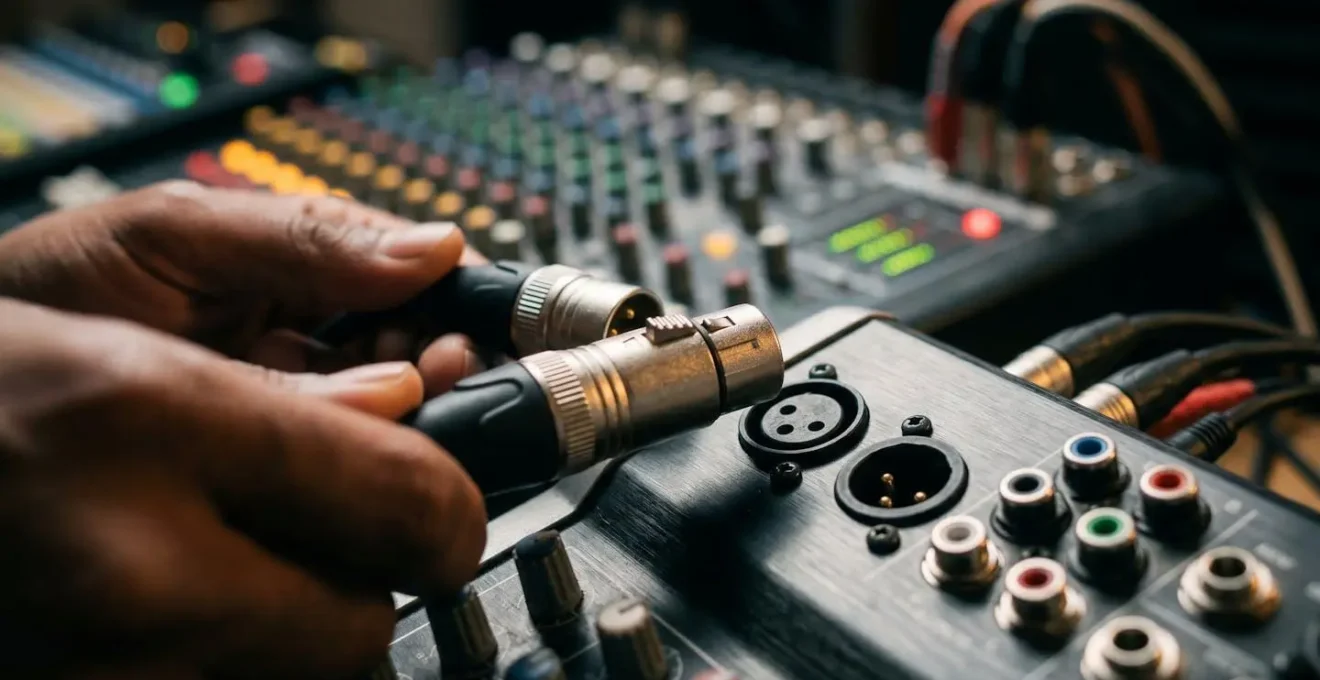
As seen in the setup, the connections are precise and varied. Always carry your own set of adapters—XLR, TRS, RCA—and essential tools like a ground loop isolator and an in-line attenuator (pad). These inexpensive items can solve 99% of common audio problems like hum, buzz, or a signal that is too « hot » (loud). A ground loop isolator is particularly vital in old buildings or complex setups where electrical noise is a common issue. Your preparedness not only ensures a clean recording but also earns the respect of the A/V crew, turning them into an ally for the rest of the event.
Highlight Reel or Full Speech: Which Asset delivers more Value to Organizers?
The question isn’t « which one is better, » but « how do we maximize the value of both? » The event may be a single day, but the content you capture has a long and varied afterlife. A modern corporate video strategy doesn’t deliver a single asset; it delivers a tiered system of assets designed for different platforms and purposes. The most valuable approach is to plan for both a high-energy highlight reel and the full-length keynote recordings from the very beginning. One generates immediate buzz, while the other provides long-term evergreen value.
The highlight reel (typically 60-120 seconds) is the primary tool for external marketing and social media. It’s designed for high engagement, capturing the energy, scale, and key emotional moments of the event. It’s what attendees share to say, « I was there, » and what the company uses to sell tickets for next year’s summit. This is your sizzle reel, cut to music, focusing on dynamic shots, smiling faces, and powerful one-liners.
The full speech recordings, on the other hand, are invaluable internal assets. They serve as critical training material for employees who couldn’t attend, a permanent record of corporate strategy, and a valuable resource for the speakers themselves. By providing individual, clean recordings of each keynote, you empower speakers to share their full presentation on platforms like LinkedIn, dramatically extending the reach and authority of the event. Thinking in terms of « asset tiers » transforms you from a camera operator into a strategic partner.
Case Study: Whirlpool’s 2024 Global Kickoff Video Strategy
Whirlpool’s 2024 Global Kickoff Event demonstrated the power of a tiered video delivery model. As noted in an event recap analysis, the production team created multiple assets from a single event: a 90-second highlight reel for social media that generated immediate engagement, full keynote recordings for internal training, and individual speaker cuts that speakers shared on their personal LinkedIn profiles, extending reach by an estimated 300%. This multi-asset approach maximized the return on investment from a single production.
The Aperture Mistake That Ruins Focus in Dark Conference Halls
The environment of a corporate summit is a videographer’s nightmare: a brightly lit stage and a pitch-black audience area. The natural temptation to compensate for low light is to open the lens aperture as wide as possible (e.g., f/1.8 or f/1.4). This is a catastrophic mistake. While it lets in more light, it creates a razor-thin depth of field. If your speaker leans forward an inch or takes a single step, they will drift out of focus, and the shot will be unusable. In the high-pressure environment of a live event, relying on autofocus to track a subject in such conditions is a recipe for disaster.
The professional approach prioritizes focus safety over brightness. You must operate within a « safe zone » aperture of f/2.8 to f/4. This provides a deep enough focal plane to keep the speaker sharp even if they move slightly, giving you crucial margin for error. To compensate for the reduced light, you must become comfortable increasing your camera’s ISO. Modern professional cameras can produce clean, usable footage at ISO 1600, 3200, or even higher. A slightly grainy but perfectly sharp image is infinitely more valuable than a bright, clean, but soft-focused one. Data confirms this; professional videographers report that shooting at f/1.8 in low light can result in 40% more unusable footage due to missed focus compared to the safer f/2.8.
To execute this, switch to manual focus. During setup or a break, get the stage lighting turned on, place a stand-in at the podium, and manually set your focus. Use your camera’s focus peaking feature to confirm sharpness, then use a piece of gaffer tape to lock the focus ring in place. This prevents accidental adjustments and ensures your primary shot position is always critically sharp. You are removing variables and taking control, which is the essence of a professional protocol.
How to Edit a « Same Day Edit » to Show at the Closing Gala?
The Same Day Edit (SDE) is the ultimate power move in corporate event videography. It’s a short, high-energy video, edited on-site and shown at the closing dinner or gala, showcasing the highlights of the very event attendees are still experiencing. It creates a massive emotional impact and demonstrates an incredible level of professionalism. However, it is an exercise in extreme logistical precision, not frantic creativity. Success depends entirely on a pre-defined, military-style workflow executed by a well-defined team.
The SDE is impossible for a single operator to both shoot and edit. It requires a minimum three-person team with distinct roles: the Shooter, who focuses solely on capturing footage; the Data Runner, who continuously ferries memory cards from the camera to the editor; and the Editor, who works from a pre-prepared template in a quiet, dedicated space. The editor should never be on the chaotic event floor. Before the event even begins, the editor must have a project template built with approved graphics, lower thirds, and a selection of three pre-licensed music tracks to choose from.
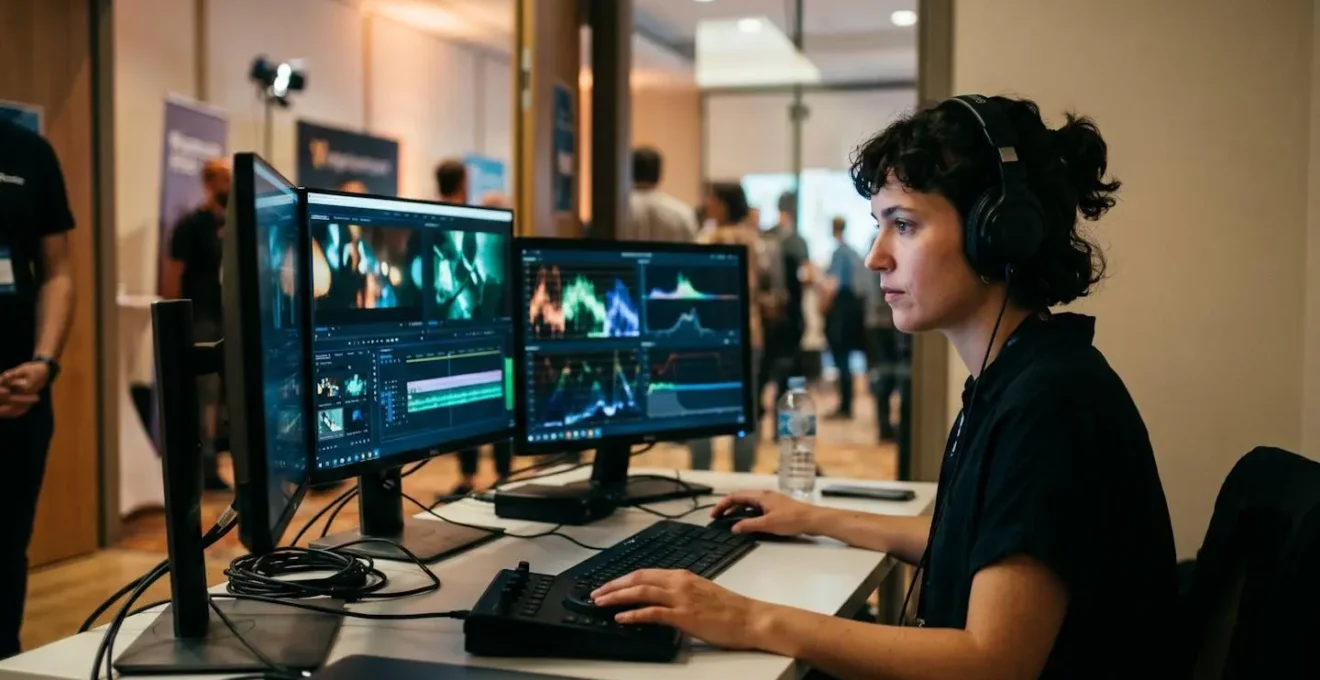
The workflow is a factory assembly line. The runner delivers a card. The editor ingests the footage, quickly tagging key moments (#quote, #reaction, #wide) without watching everything. These selects are then dropped directly into pre-timed gaps in the timeline template. There is no time for creative discovery; the story structure is already built. The final render should be done at 80% quality for speed, with the file delivered on a USB stick in the exact codec and format specified by the venue’s A/V team. This is not editing; it is high-speed assembly and manufacturing.
Your Action Plan: Same Day Edit (SDE) Production Workflow
- Pre-Event: Create timeline template with graphics, lower thirds, and 3 pre-licensed music tracks.
- Role 1 – Shooter: Focus only on capturing footage, no reviewing or editing on the camera.
- Role 2 – Data Runner: Continuously ferry media cards from the shooter to the dedicated editor.
- Role 3 – Editor: Work in a dedicated quiet space away from the main event floor with a powerful laptop.
- Ingest Method: Import footage and immediately tag clips with keywords like #quote, #reaction, or #wide for quick sorting.
How to Manage a Corporate Video Shoot in London Without Disrupting Operations?
Filming in a bustling, operational corporate office in London presents a unique set of challenges that go far beyond the technical. Your primary directive is to be invisible. Disruption to the company’s daily operations is not an option. This requires a « ghost crew » mentality, prioritizing stealth, communication, and meticulous planning over large, impressive-looking gear. Success is measured by the client saying, « We barely knew you were here. »
This approach starts with equipment. Ditch the large cinema rigs and tripods. Instead, opt for smaller mirrorless cameras that are less intimidating and can be maneuvered more easily in tight office spaces. Crew communication should happen via silent wireless earpieces, not shouted instructions across a cubicle farm. Your lighting should be minimal and based on small, battery-powered LED panels, not large, hot lights that require extensive cabling and power draws. The goal is to have a footprint that is as small and self-contained as possible.
The most critical element is pre-production coordination with the office or facilities manager. Before the shoot, you must obtain a visual map of the office and collaboratively mark it up. Identify « no-go zones » (like the finance department during quarter-end), quiet zones for interviews, and high-traffic areas to avoid. Schedule all B-roll footage that requires movement (tracking shots, office environment) for the lunch hour when fewer people are at their desks. This level of planning shows respect for the client’s workspace and ensures you get the footage you need without causing a single complaint.
Case Study: The « Ghost Crew Protocol » in a London Summit
A London-based production company, Film Your Event, successfully documented a major financial summit by implementing a ‘Ghost Crew Protocol.’ The team used smaller mirrorless cameras instead of large cinema rigs and communicated via wireless earpieces to avoid shouting. They scheduled all B-roll capture during the lunch hour and created a visual office map with the client, marking ‘no-go zones’ and identifying key personnel who could not be disturbed. This meticulous approach resulted in zero operational disruptions while capturing comprehensive coverage of the event.
2.4GHz Digital or UHF Analogue: Which Wireless System is Safer for Events?
The choice of wireless microphone system is one of the most critical decisions for ensuring clear, uninterrupted audio during a keynote. The market is flooded with affordable and easy-to-use 2.4GHz digital systems, but for a mission-critical corporate event, they represent a significant and often unacceptable risk. The 2.4GHz band is the public highway of wireless communication—it’s shared with WiFi, Bluetooth, security cameras, and the personal devices of every single person in the audience. In a crowded conference hall, this creates a chaotic, unpredictable « traffic jam » of signals.
For mission-critical safety, the professional standard is a UHF (Ultra High Frequency) analogue system. These systems operate on dedicated, licensed frequency bands that are reserved for professional audio and broadcast use. While more expensive and complex to set up, they offer vastly superior reliability and range. They are the fortified, private road in a world of public congestion. The setup requires careful frequency coordination, but the result is a rock-solid signal that is immune to the interference that plagues 2.4GHz systems.
As one industry veteran stated in an interview, the danger of relying on the wrong technology is very real.
In a conference hall with hundreds of attendees, 2.4GHz creates an invisible ‘traffic jam’ of signals. We’ve seen complete audio failure during CEO keynotes when relying solely on 2.4GHz systems.
– Professional AV Technician, Industry Interview – Event Production Magazine
The following table breaks down the key differences, making the choice clear for any professional videographer prioritizing reliability over convenience.
| Feature | 2.4GHz Digital | UHF Analogue |
|---|---|---|
| Reliability in Crowded Venues | Poor – WiFi/Bluetooth interference | Excellent – Dedicated frequencies |
| Typical Price Range | £200-500 | £800-2000 |
| Setup Complexity | Simple – Auto-pairing | Complex – Frequency coordination |
| Range | 30-50 meters typical | 100+ meters typical |
| Best Use Case | Small events, backup audio | Mission-critical keynotes |
Key takeaways
- Total Redundancy: Your baseline is a dual-camera setup with dual-slot recording and a separate, high-quality audio backup. This is non-negotiable insurance.
- Audio from the Source: Pristine audio comes from a hardline feed from the venue’s PA system, not from a microphone on your camera. Build a relationship with the A/V tech.
- Multi-Asset Strategy: Deliver both a fast-paced highlight reel for social media and full-length keynote recordings for internal use to maximize the event’s ROI.
How to Use Wireless Lavs in London Without Frequency Interference?
Using UHF wireless systems is the first step, but operating them in Central London requires another level of diligence. The airwaves in a global city are not empty; they are a fiercely competitive and regulated space. A technical analysis shows that Central London has one of the world’s most saturated Radio Frequency (RF) environments, with hundreds of active broadcast signals creating a dense, invisible obstacle course for your audio.
To operate legally and safely, your first step must be to apply for a PMSE (Programme Making and Special Events) license from Ofcom, the UK’s communications regulator. This license grants you temporary access to specific, protected frequencies, most commonly within Channel 38 (606-614 MHz), which is set aside for this exact purpose. Showing up without a license and randomly picking a frequency is not only unprofessional but also illegal and risks interfering with critical broadcast services.
Upon arrival at the venue, your immediate priority is to find the head A/V technician. They manage a master frequency plan for the entire building, coordinating signals for all production teams, security, and broadcast crews. Politely request your assigned frequencies from their plan. Once you have your frequencies, you must perform a frequency scan with your UHF receiver in the actual room where you’ll be working, after your equipment is set up but before the audience arrives. This will identify any unexpected local interference. Using directional « paddle » or « shark fin » antennas can further help focus your reception and reject unwanted signals. Document everything, and always have backup frequencies programmed and ready in case of an emergency. This is the protocol for managing signal integrity in a hostile RF environment.
By adopting these stress-tested protocols, you are transforming your service from simple videography into mission-critical production management. You are no longer just a person with a camera, but a director of live capture, prepared for every contingency. This is the standard your clients deserve, and the only way to operate when there are no second takes. Implement this protocol on your next project and deliver with the confidence of a true professional.